
Introduction
This section of the Troubleshooting page provides an overview of currently active sessions and allows you to abort them.
Accessing Active Sessions
-
To access the Active sessions, in the Login Enterprise sidebar menu, navigate to Other > System.
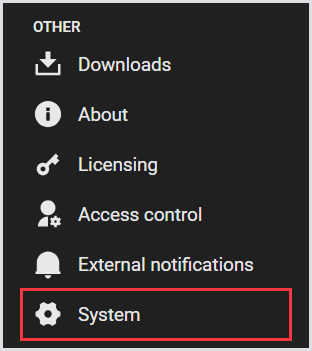
-
In System, select Active sessions from the tab menu, and wait for the page to load.

Active Sessions Page Overview
The Active Sessions page displays a table with the following information:
|
Test Name |
Launcher |
Account Name |
Login State |
Date Created |
Date Updated |
|---|---|---|---|---|---|
|
Name of the Test. |
Name of the Launcher. |
Name of the Launcher. |
State of the login, succeeded or failed. |
Date when the active session was created. |
Date when the active session was updated. |
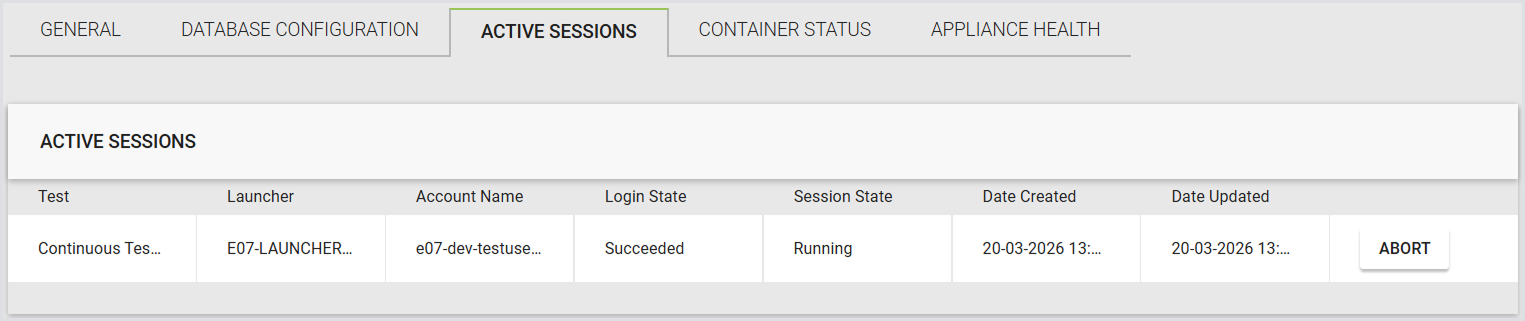
If you click Abort, the selected session will be terminated within one minute.