
Overview
To make sure the database does not grow too rapidly, you can configure data retention for your database. Data retention deletes raw data older than a specified number of days. This does not mean all graphs will become empty as they use statistical and not raw data, but certain views, for example, an Hourly view, will disappear when falling outside of the retention window.
Note:
-
When configured, data retention eliminates the possibility of viewing the Hourly view of data older than the configured number of days.
-
When configured, data retention eliminates the possibility of viewing the events of data older than the configured number of days.
-
A minimum of 45 days of data retention is enforced.
Configuring Data Retention
-
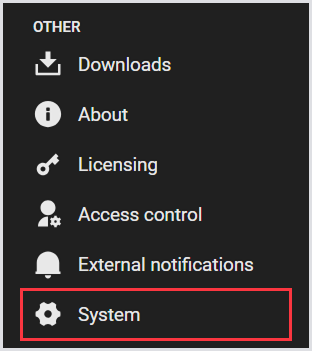
In the Login Enterprise sidebar menu, navigate to Other > System.
-
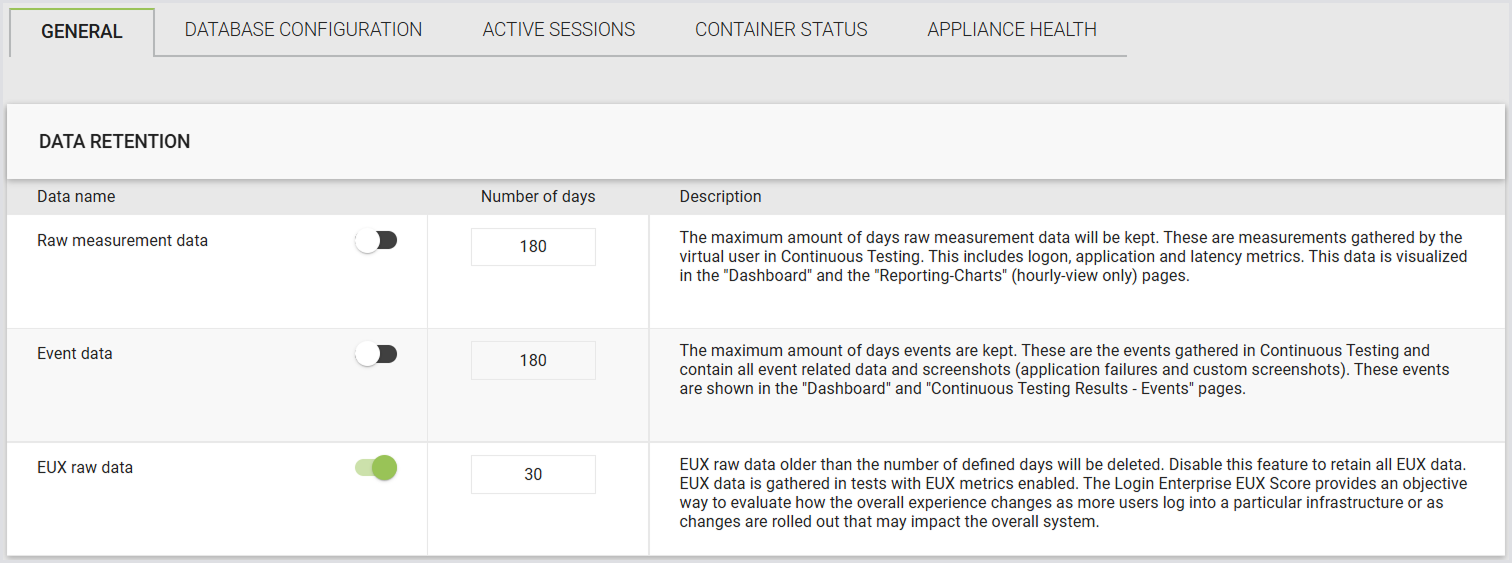
Ensure you’re in the General section of the tab menu:

-
Data retention is disabled by default. To enable it, switch the toggle next to the item you wish to enable and configure the preferred option. There are 3 options you can configure:
|
Data name |
Definition |
|---|---|
|
Raw measurement data |
When enabled, it deletes the Hourly view of data older than the configured number of days. However, longer statistical views, such as daily or weekly averages, are preserved. For example, if the retention period is set to 30 days, you can access minute-by-minute EUX scores for the past month, and after 30 days, only daily averages remain available. Weekly averages are also retained if configured. |
|
Event data |
When enabled, it deletes the events of data older than the configured number of days. |
|
EUX raw data |
When enabled, it deletes the EUX raw data older than the configured number of days. Note: This process only removes the underlying raw data and does not affect the EUX summary results. |
Additional Resources
-
For information on configuring an external SQL database, see Configuring an External SQL Database.
-
To learn more about the EUX score, see Calculating the EUX Score and VSImax.