
Overview
Environment entities define costs and capacity for a group of Continuous and Load Tests in the Operations Dashboard. For more information, see Operations Dashboard.
Creating an Environment
-
In the Login Enterprise sidebar menu, navigate to Configuration > Environments.
-
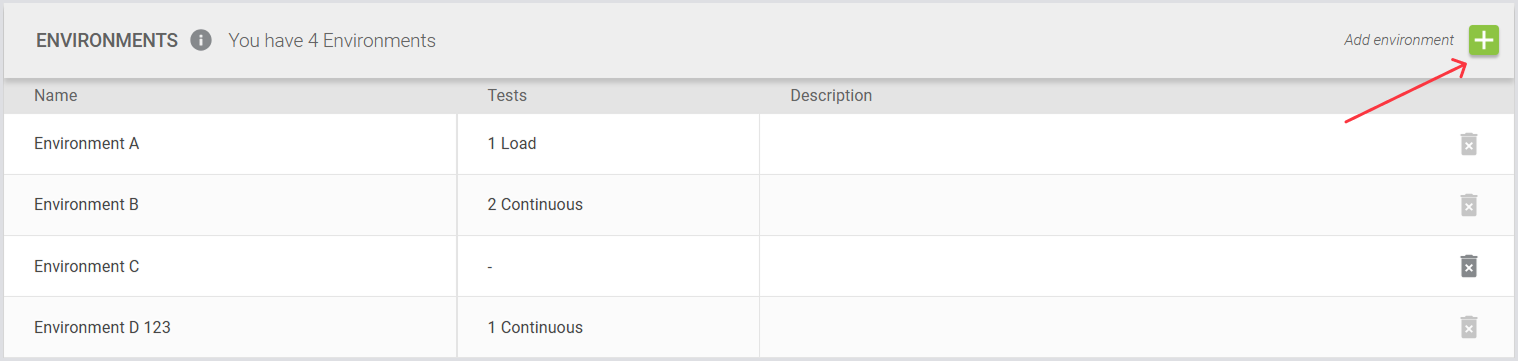
In Environments, click the green “+“ on the top right to create a new Environment entity.
-
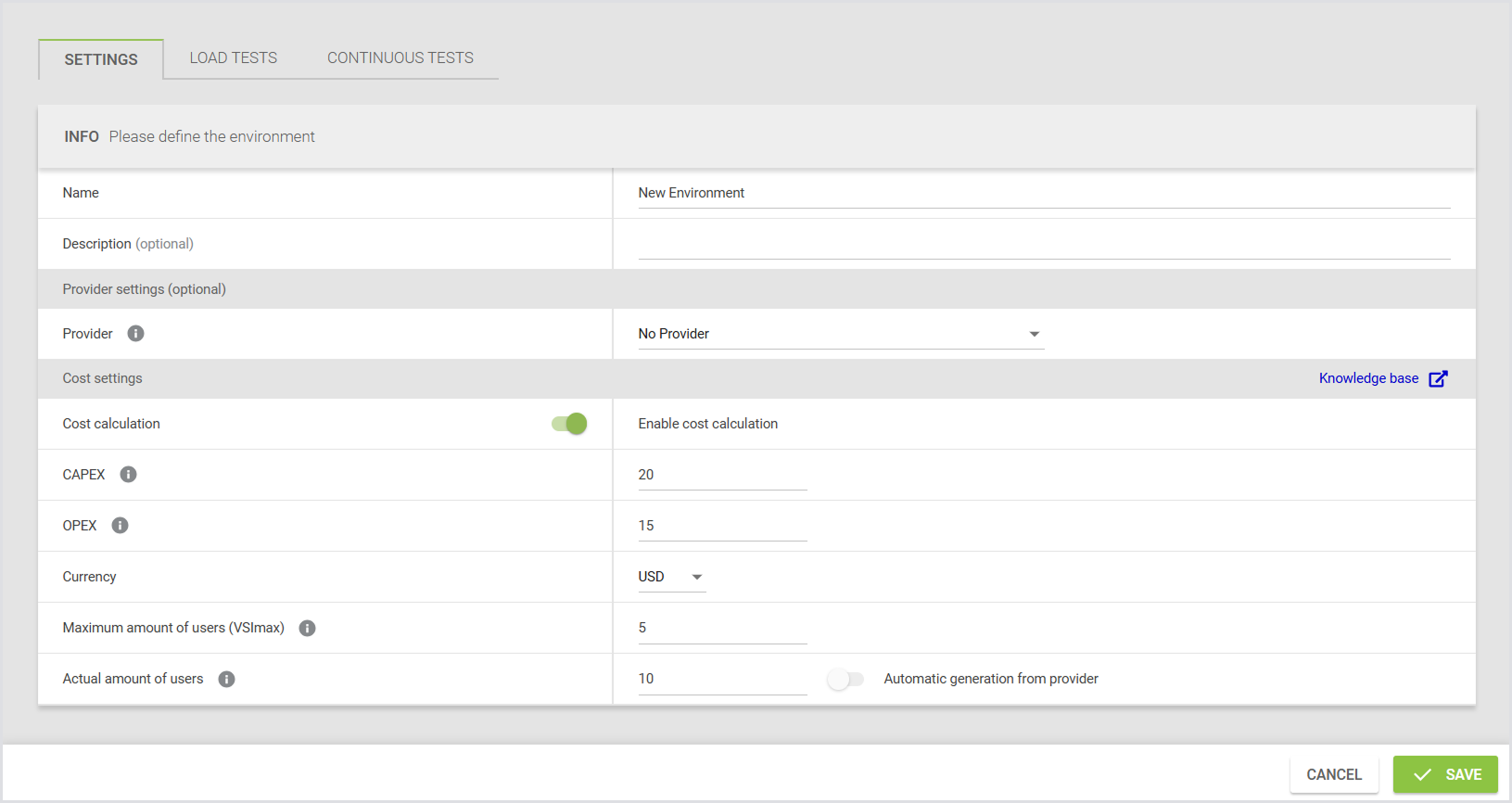
Define your Environment settings:
|
Field |
Description |
|---|---|
|
Name |
The designated title or identifier for the environment. |
|
Description (optional) |
A summary that outlines the purpose and key characteristics of the environment. |
Note: Data providers can be integrated into the environment to collect active user counts from an existing Azure Virtual Desktop environment via an API. For more information on data providers, see Configuring Providers.
Configuring Provider Settings (Optional)
-
To eliminate manual data input and enhance data accuracy in the Operations dashboard, you can specify the following:
|
Field |
Description |
|---|---|
|
Provider |
The virtual desktop provider where the environment's desktops and/or applications are hosted. |
|
Resource Group |
The name of the Azure resource group that contains your AVD Host Pool. |
|
Host Pool |
The name of the AVD Host Pool from which data should be retrieved. |
Configuring Cost Settings
-
In Cost Settings, select the toggle to trigger additional configuration:
|
Field |
Description |
|---|---|
|
CAPEX |
The total capital expenditures required for the initial setup and infrastructure of the environment. |
|
OPEX |
The ongoing operational expenditures necessary for the maintenance and daily operation of the environment. |
|
Currency |
The type of currency used for all cost-related entries, such as USD, EUR, or GBP. |
|
Maximum amount of users (VSI Max) |
The highest number of users that the environment is designed to support simultaneously. |
|
Actual amount of users |
The projected or current number of users actively using the environment. |
This data will be displayed in the Operations Dashboard under the corresponding environment. For more information, see Operations Dashboard.
Additional Resources
Login Enterprise Public API includes endpoints to create and manage Environment entities. To learn how to access the Public API, see Accessing the API.