Overview
Session Timeouts are used to log off disconnected sessions after a period of time. This is important, as unused session hosts can be deallocated by Hydra. Session Timeouts can be configured based on the day of the week or time of day for additional flexibility.
Configuring Session Timeouts
From the Dashboard:
-
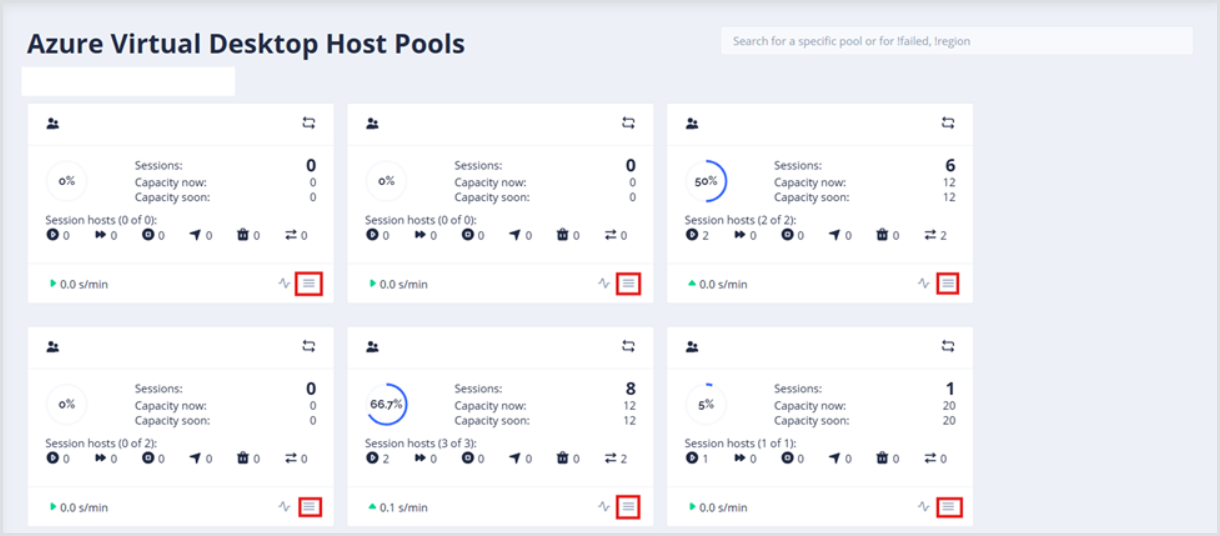
Find the host pool where Session Timeouts should be configured, and open its Configuration.
-
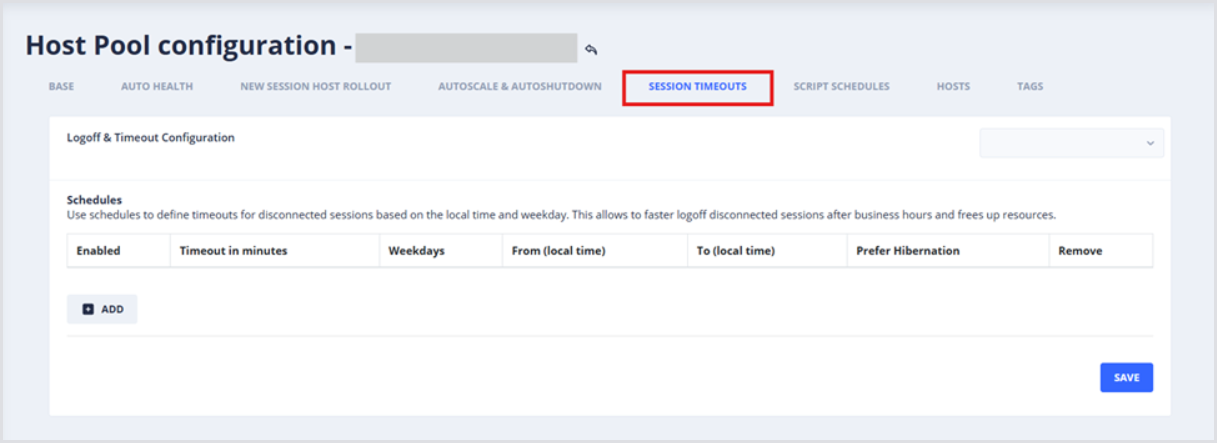
From the Host Pool configuration page, open Session Timeouts.
-
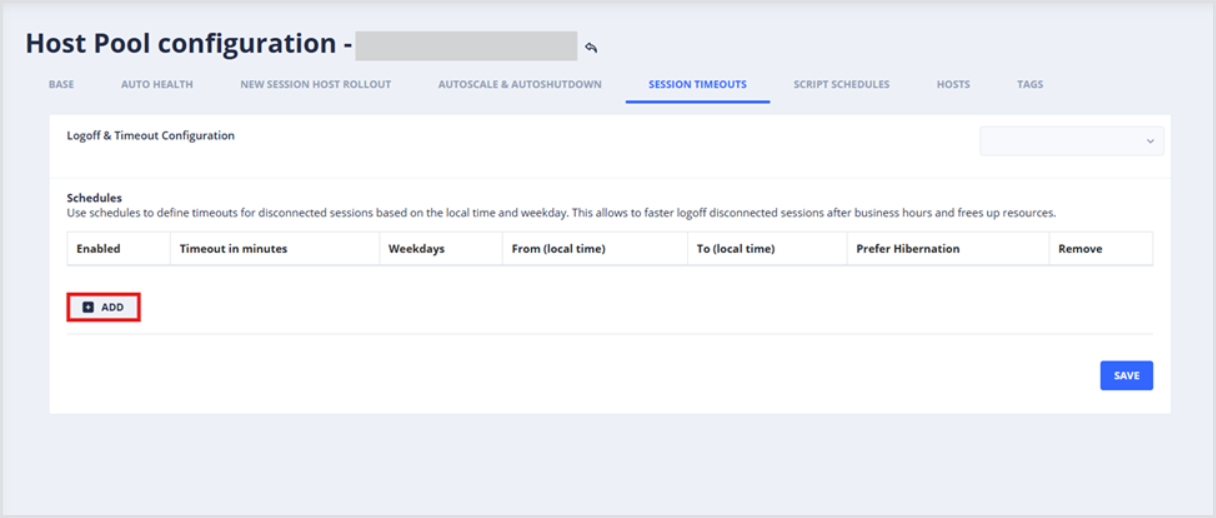
Click Add to create a new Logoff & Timeout Schedule. Now that the Schedule item is created, configure the following settings:
-
Timeout in minutes: Determines how long to wait before logging off a disconnected user session
-
Weekdays selected: Activates the Schedule.
-
From (local time): Determines the starting time on selected Weekdays when the Schedule is active.
-
Note: Configure the Host Pool Time-Zone on the Base tab.
-
-
To (local time): Determines the ending time on selected Weekdays when the Schedule will be deactivated.
-
Note: Configure the Host Pool Time-Zone on the Base tab.
-
Example of Logging Off Disconnected Sessions
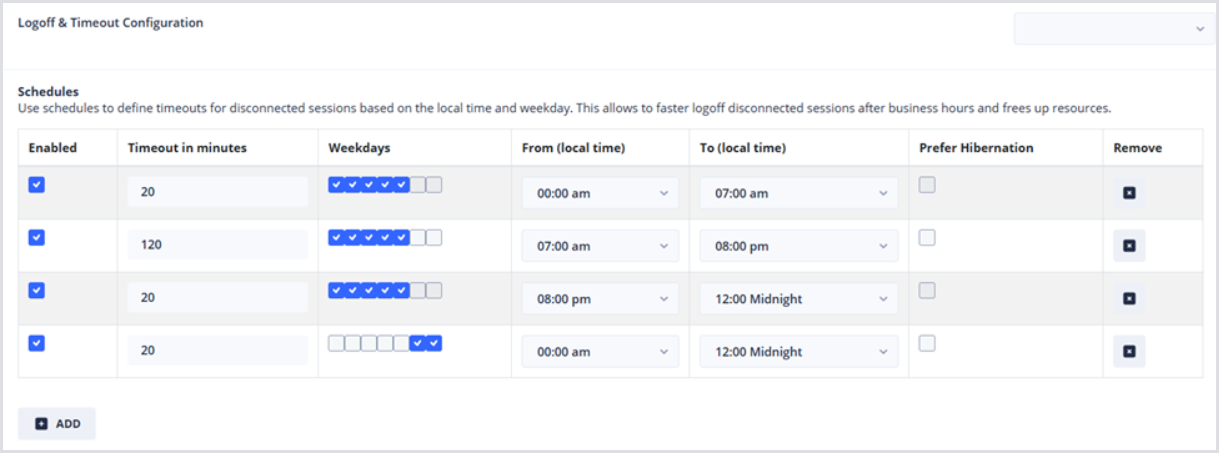
Below is an example configuration that will log off disconnected sessions:
-
Monday-Friday, between 12:00 am and 7:00 am, disconnected sessions are logged off after 20 minutes.
-
Monday-Friday, during the workday, between 7:00am and 8:00pm, disconnected sessions are logged off after 120 minutes.
-
Monday-Friday, after the workday, between 8:00pm and Midnight, disconnected sessions are logged off after 20 minutes.
-
On the weekends, disconnected sessions are logged off after 20 minutes.