
Overview
Often, session hosts must still be part of an Active Directory domain to host applications that depend on an AD environment. To join a host (computer object) to AD, a service account with proper permissions is needed.
Never use domain admin accounts for automating these kinds of tasks, and never store domain admin credentials in Hydra. Instead, use a service account with the least privileges necessary to perform this action.
Creating the Service Account for the Domain Join
-
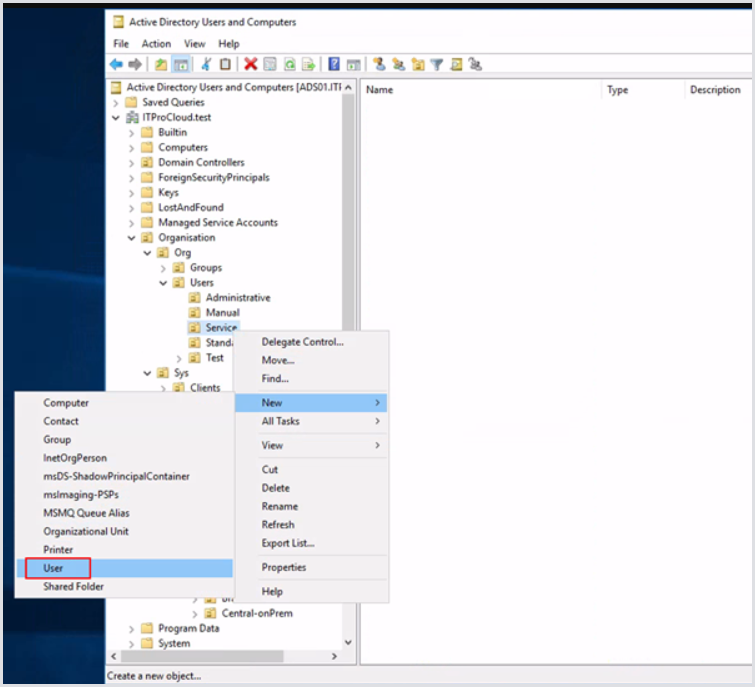
Open Active Directory Users and Computers and select a proper OU to store the new service account. Right-click > New > User.
-
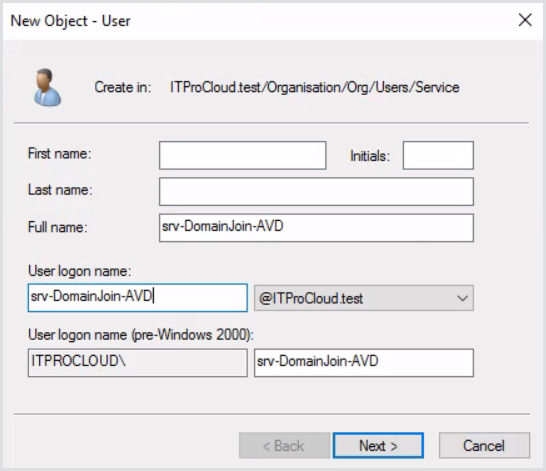
Enter a name for the service account. E.g., “srv-DomainJoin-AVD.”
-
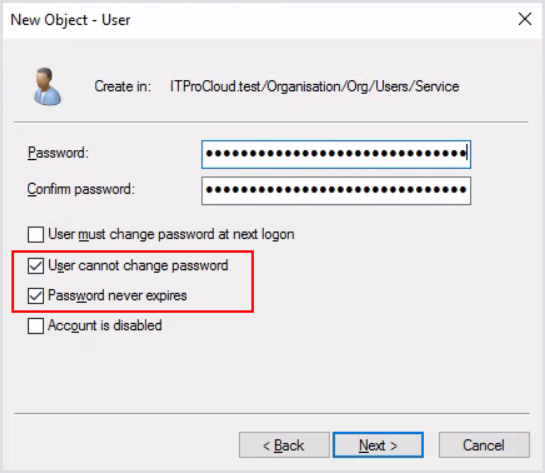
Enter a long and complex password for the account and tick both password options. Ensure the password is rotated regularly and keep it updated in Hydra when it is time to do so.
-
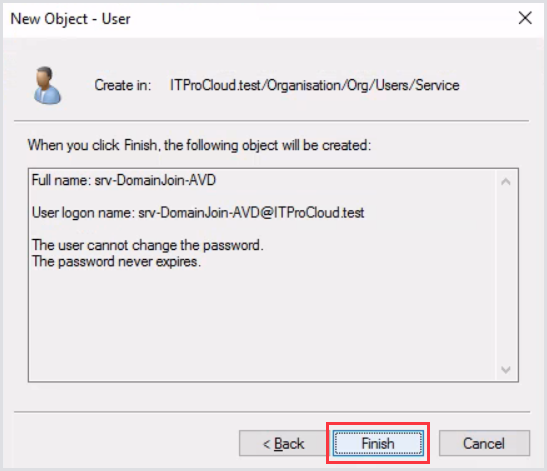
Finish the creation of the service account.
Delegating Service Account Permissions in AD
-
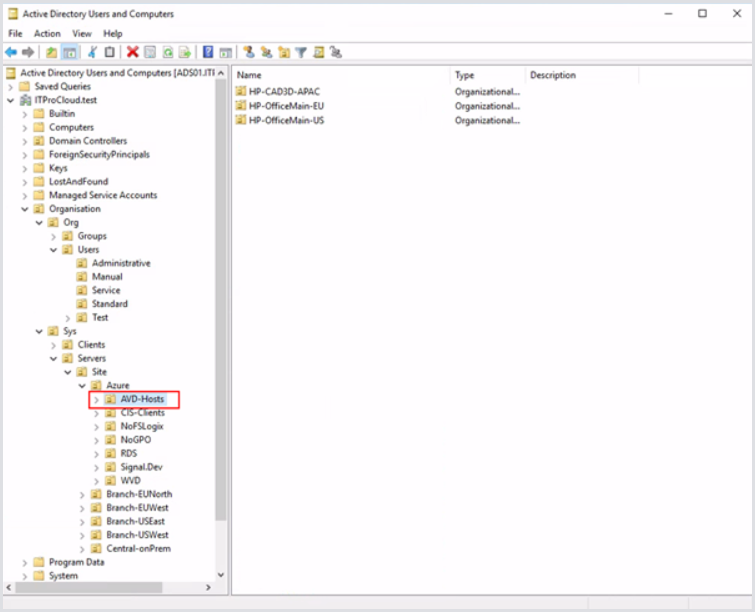
After you create one or more OUs for your hosts/computer accounts, delegate the permission at the top-level OU for your computers. In this example, that is AVD-Hosts. Sub-OUs are used here to organize the host pools where the delegation will propagate down.
-
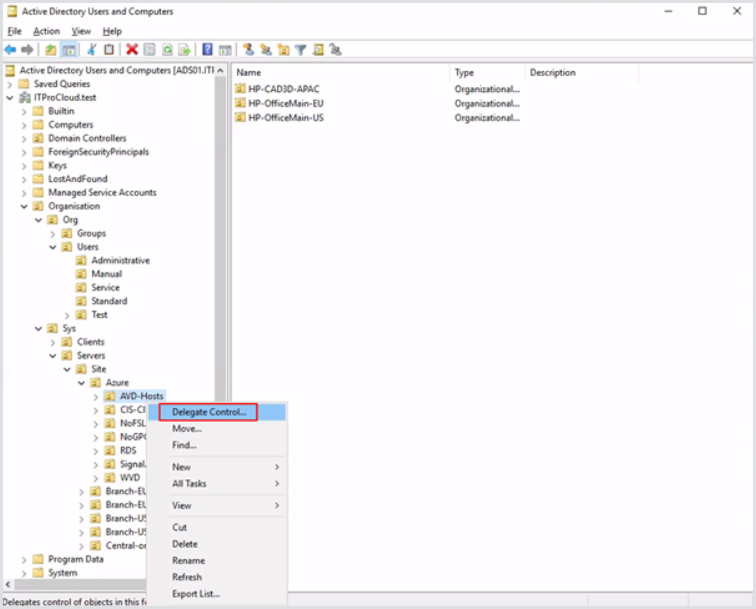
Right-click the OU and click Delegate Control.
-
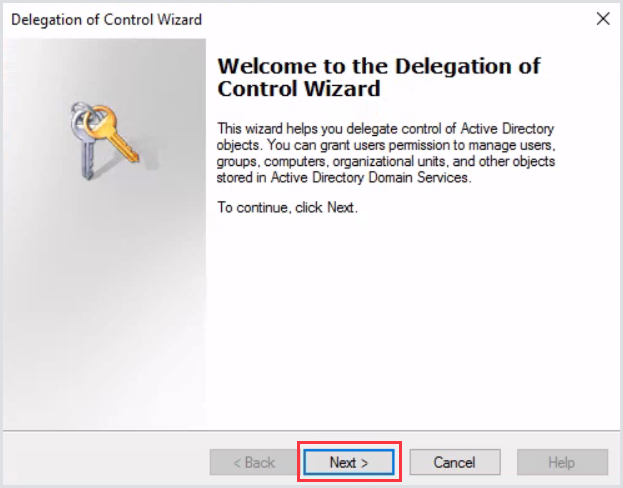
Click Next.
-
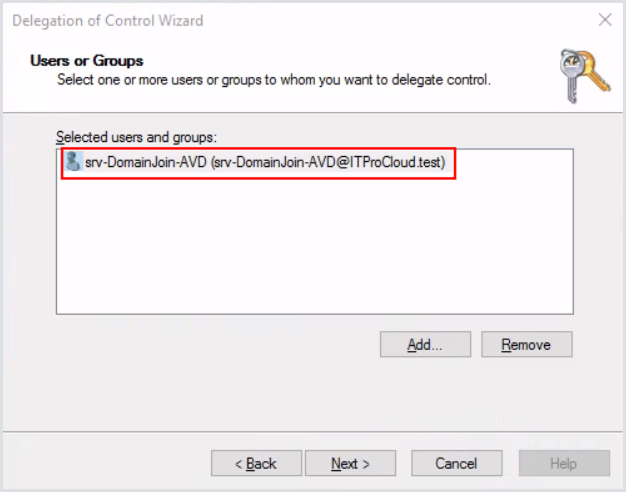
Click Add and select the previously created service account.
-
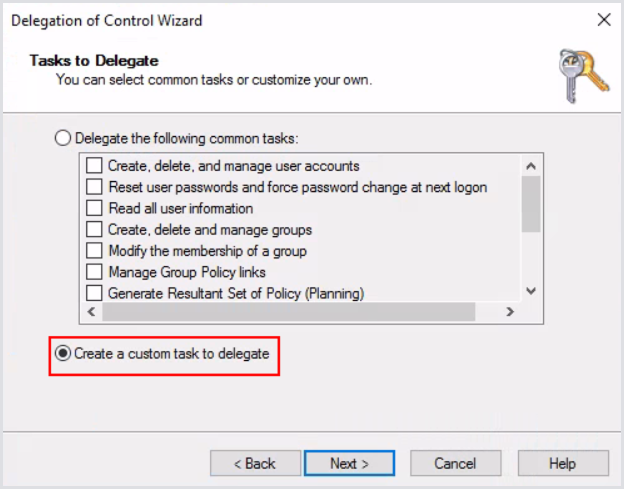
Next, select Create custom task to delegate.
-
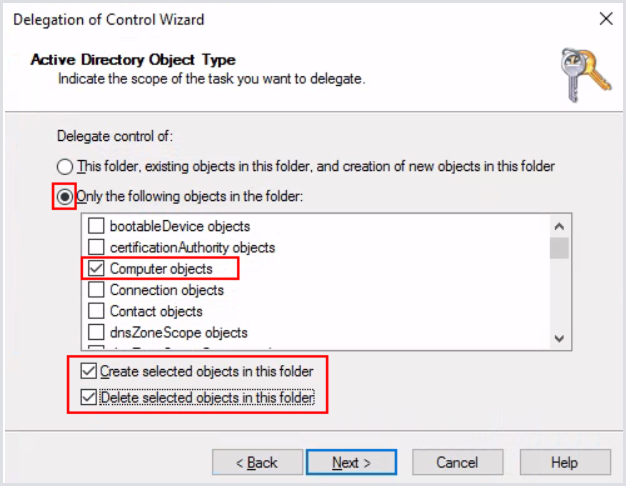
Select the proper Create/Delete options. Make sure to only select Computer objects for delegation:
-
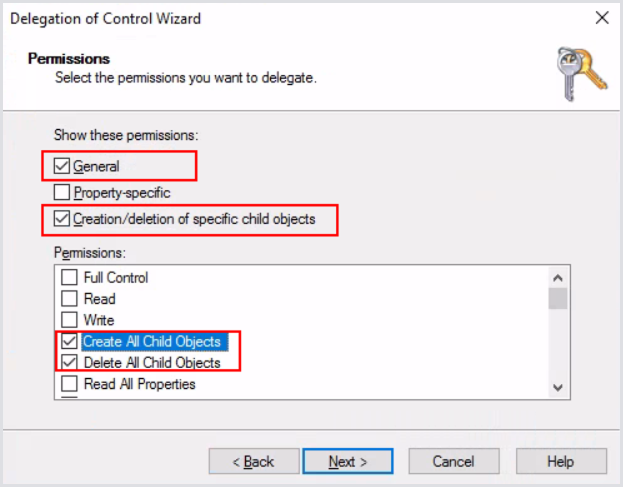
Click Next. Configure the selected options only:
-
Click Next and then Finish.
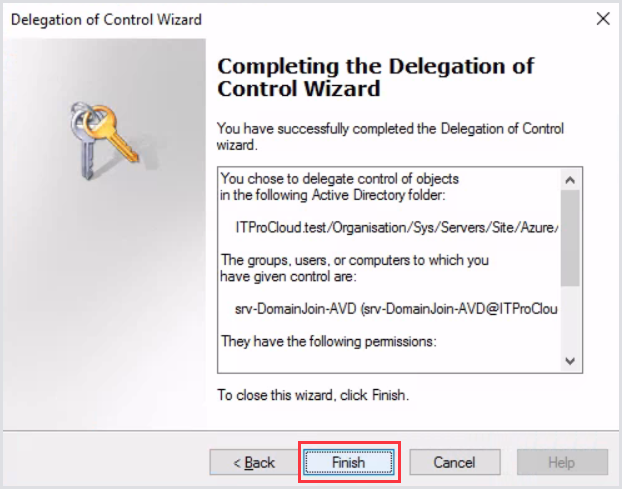
The service account now has the correct permissions. Ensure proper auditing of the service account is in place to prevent malicious or unintended use.
Adding the Service Account to Hydra
-
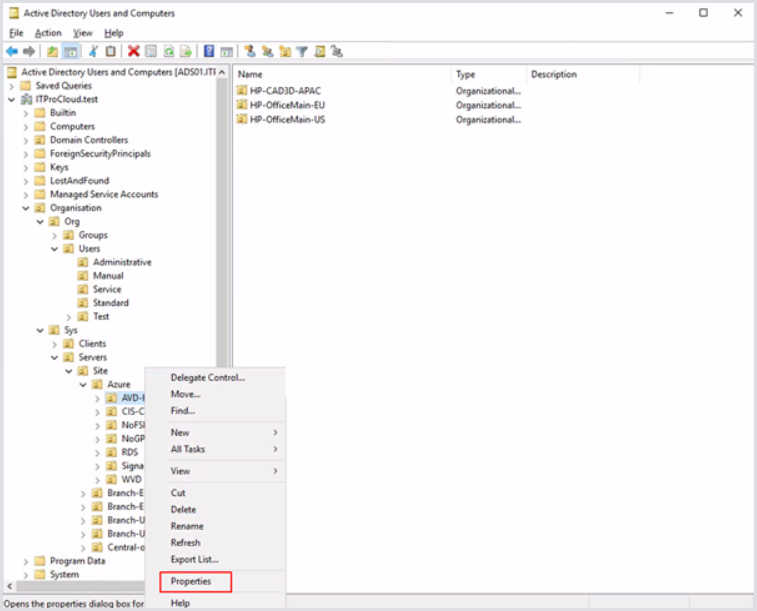
Select properties of the OU where you want to store the hosts/computer objects.
-
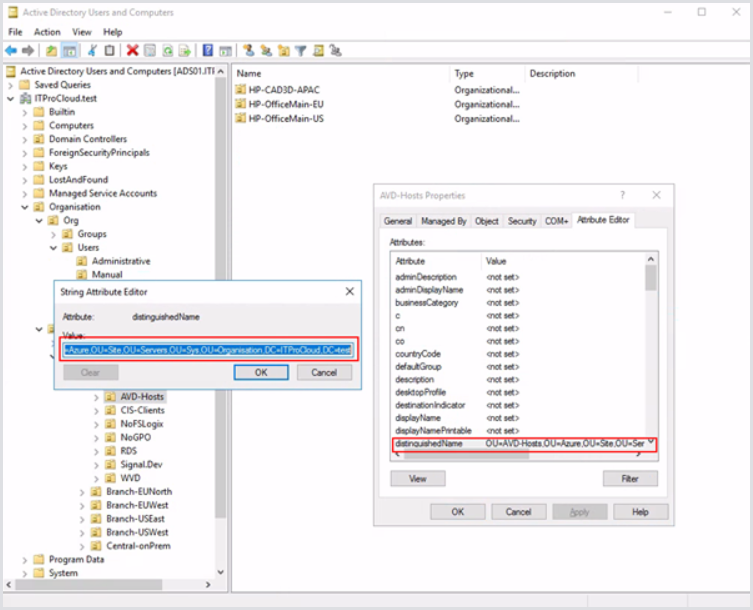
Select the Attribute Editor tab and double-click on distinguishedName. You can now copy the OU path for later use:
-
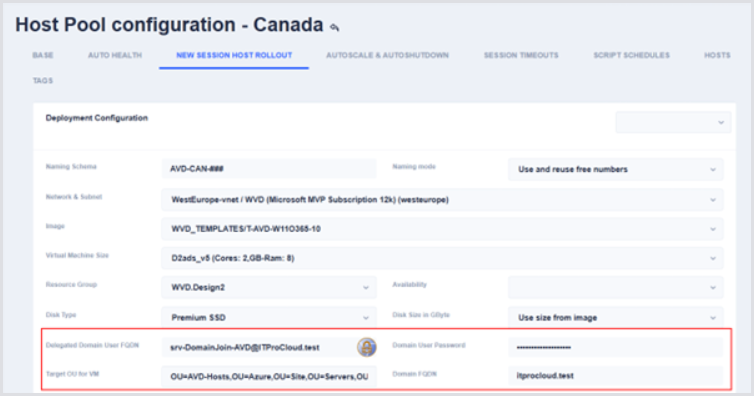
In Hydra, open the New Session Host Rollout configuration of a host pool and enter the service account, domain, and OU path:
Security tips:
-
Follow service account best practices by not allowing interactive logins for this user.
-
Never use this service account for anything else. The user is for the domain join only.