
Once the Session Host Rollout configuration is saved, new Session Hosts can be deployed using previously configured settings. To do so:
-
Return to the main Dashboard.
-
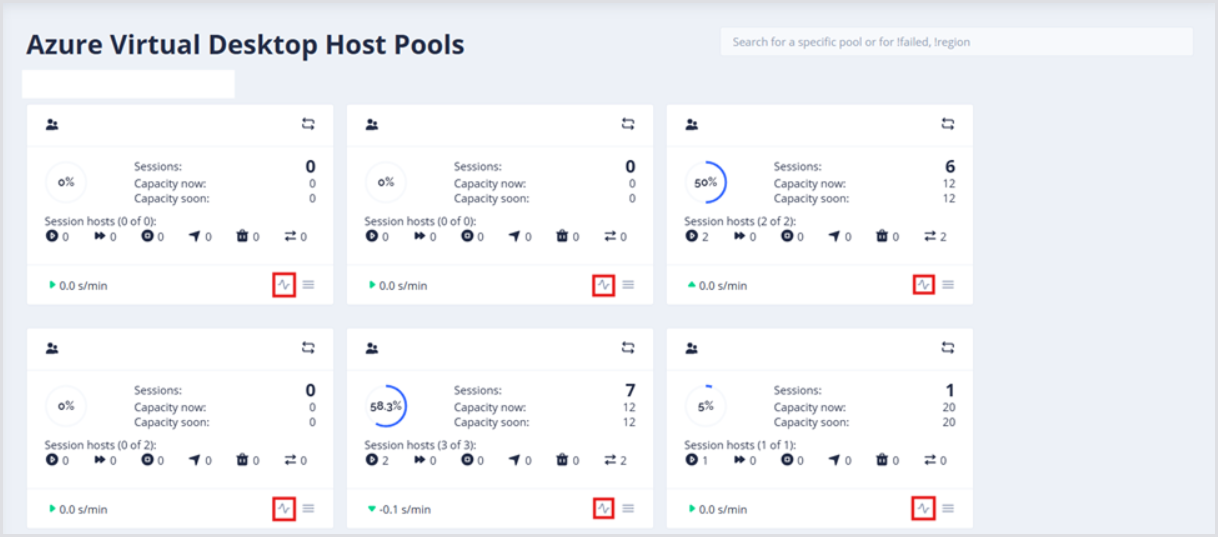
Find the host pool where new Session Hosts should be deployed, and open the Details page using the monitor icon.
-
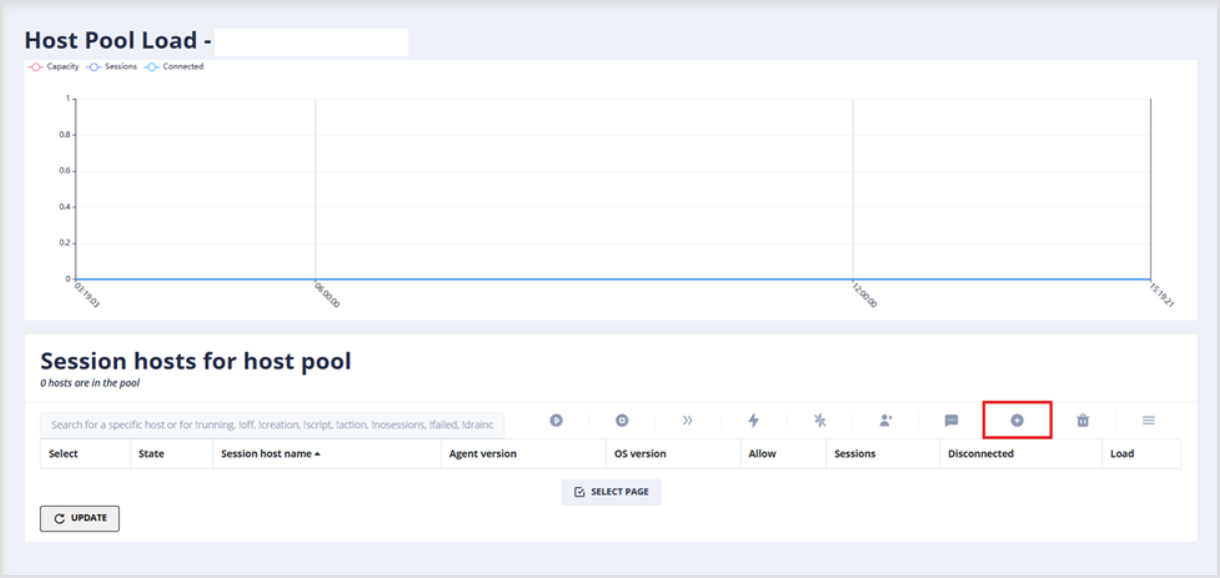
From the Host Pool Load page, in the Session hosts for host pool table, click the Add new session host(s) button.
-
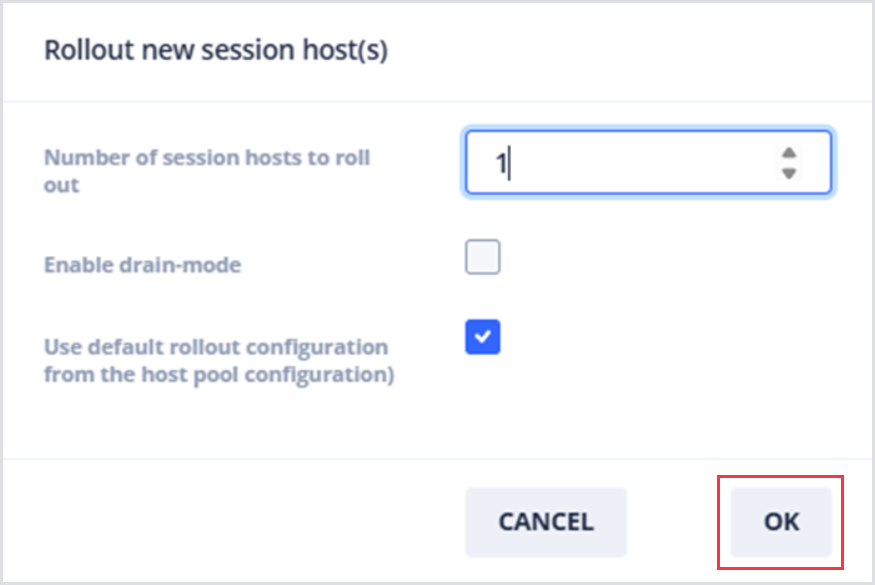
In the dialog that appears, specify:
-
The Number of session hosts to roll out from 1-999.
-
Whether to enable drain mode.
-
Whether to use the default rollout configuration from the host pool configuration.
-
-
Click OK to start the deployment process.
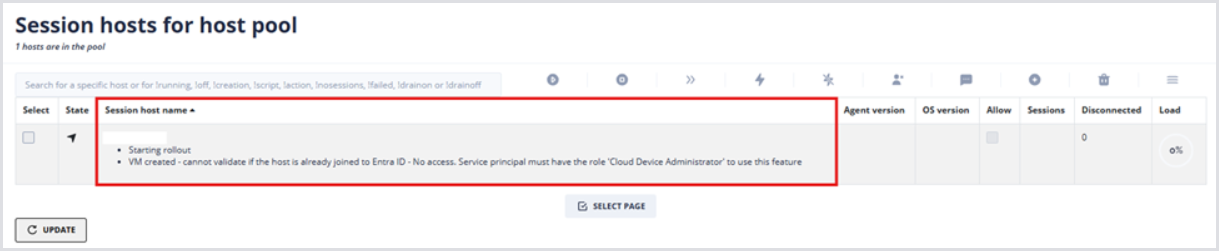
During the creation process, the Session Host will appear within the Session hosts for the host pool table alongside progress logs:
Once the deployment completes, you should see the capacity chart change, indicating the new Capacity of your Session based on the configured Max session limit. Note that hosts created manually using this method will be flagged as permanent hosts and will use deallocating/allocating as their scale-down/scale-up operations.
The Utilization data shown in the above example requires the installation of the Hydra Agent.