
Overview
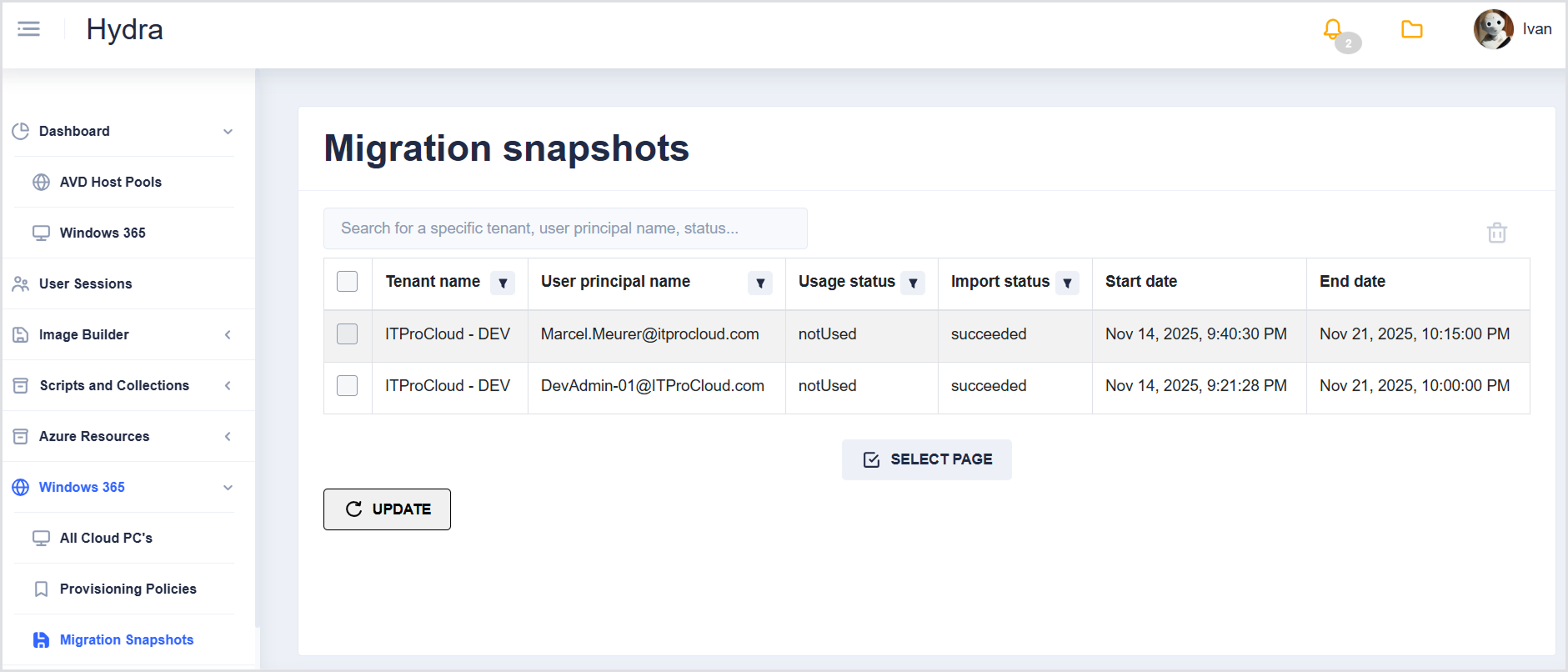
The Migration Snapshots page displays snapshots created for Cloud PCs, allowing administrators to track, review, and delete migration snapshots. This page is primarily for monitoring and deleting snapshots; no other management actions are available.
Search
Use the search field to locate snapshots by Tenant, User principal name, Status, etc.
Migration Snapshots Table
The table lists snapshots with the following columns:
|
Column |
Description |
|---|---|
|
Tenant name |
The tenant associated with the snapshot |
|
User principal name |
The user for whom the snapshot was created |
|
Usage status |
Current usage status of the snapshot |
|
Import status |
Status of the snapshot import |
|
Start date |
Snapshot start date |
|
End date |
Snapshot end date |
All columns (except Start date and End date) have a Filter icon, allowing you to search or select specific values.
Actions
-
Select one or more snapshots in the table to delete them.
-
Use the Select page option at the bottom of the table to perform bulk deletions.