
Overview
As covered in the Reference Architecture, Hydra automatically deploys a Log Analytics Workspace within its resource group. This Log Analytics Workspace contains the following tables:
-
Hydra_Actions_CL - Contains all of the admin and automated tasks that are seen in the Logs module within the Hydra portal but are not subject to the 14-day limitation.
-
Hydra_ConcurrentUserUsage_CL - Contains overall concurrent session counts approximately every 10 minutes. This data is automatically deduplicated and can be used to track license utilization.
-
Hydra_HostPoolStatistics_CL - Contains session and host information per host pool. By default, this is collected every 30 seconds per pool.
-
Hydra_Logs_CL - Contains the Engine logs, even beyond the last engine restart time.
Accessing the Tables
The most common way to view the tables above is to:
-
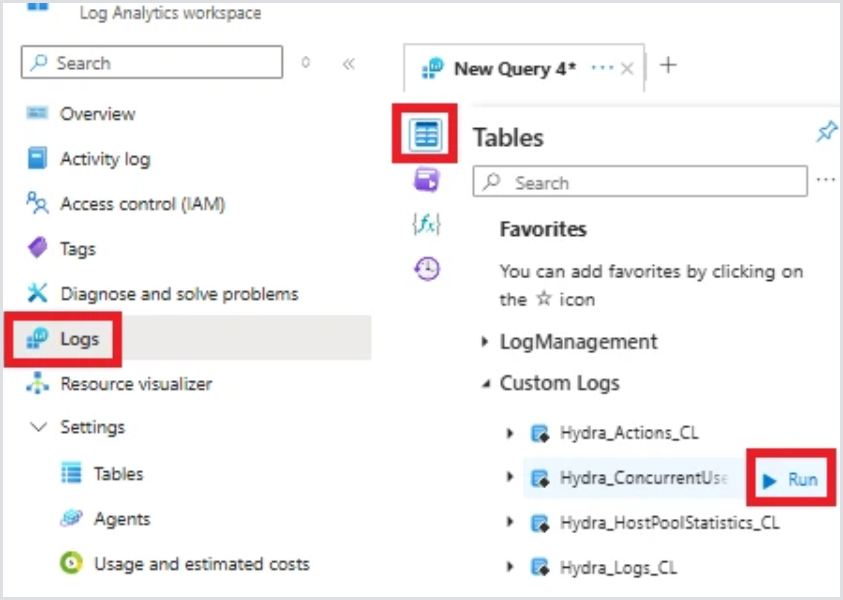
Navigate to Logs > Tables within the Log Analytics Workspace in the Azure Portal.
-
Highlight the table you wish to query and select Run to query the table.
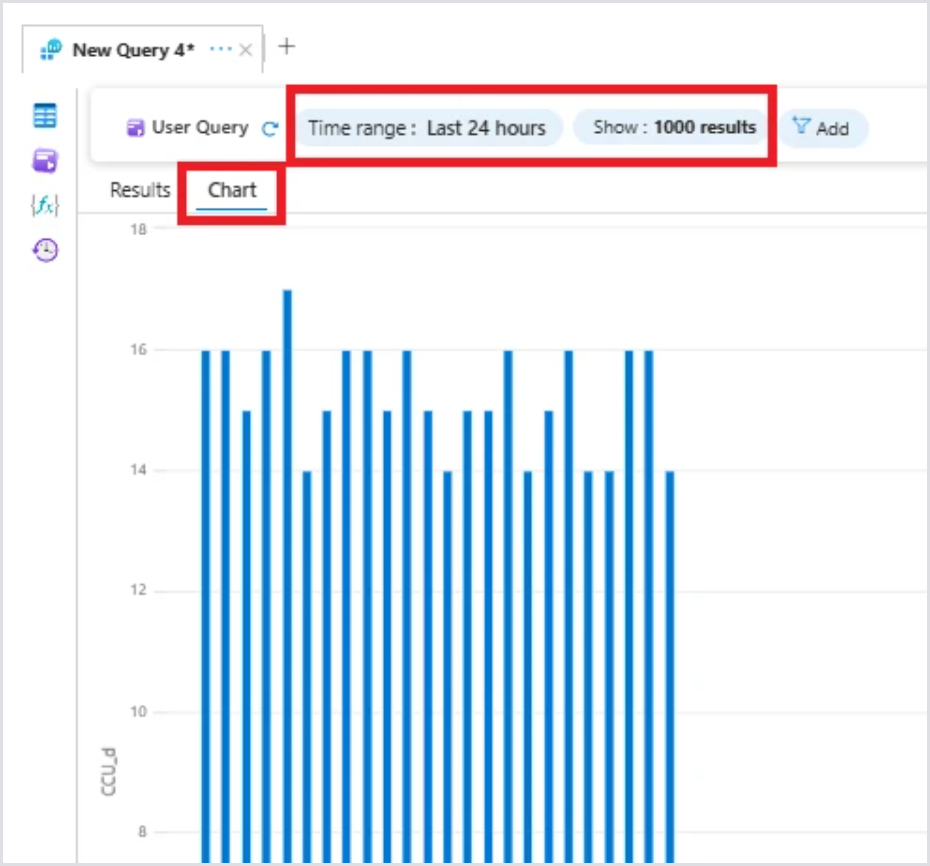
It may be useful to view some tables in a visual format, such as the Concurrent Usage table. Simply click the Chart tab and adjust the filters as needed:
Data Retention
The Log Analytics Workspace deploys with a default retention period of 90 days. If you wish to retain data beyond that, configure different retention periods for both individual tables and the entire Workspace.