.png)
Endpoint Verification Testing - Productivity Worker - Built-In Windows Apps - Smoke Tests
Disclaimer
This workload is provided as-is and might need further configuration and customization to work successfully in each unique environment. For further Professional Services-based customization, please consult with the Login VSI Support and Services team. Please refer to the Application Script Recording for further self-help information regarding workload crafting and implementation.
For more information, refer to the top of the .cs file under Additional Resources.
Overview
This workload will:
Perform Endpoint Verification Testing by:
Simulating a user opening a built-in Windows app they might open throughout the day, in order to perform Productivity tasks. The tests herein are currently essentially smoke tests for these application launches; however, they could be built on with our scripting tooling. Please refer to our documentation on this for the Application X-Ray and Script Editor tooling.
It will showcase launching, validating launching, and have a custom timer encapsulated around (each launch) for built-in Windows apps of the category: "Productivity Worker."
The following steps will be performed -- start timer, start app, verify app GUI present, stop timer, short wait, close app -- for the following apps:
3D viewer (com.microsoft.3dviewer:)
Paint 3D (ms-paint:)
Camera (microsoft.windows.camera:)
Microsoft Edge (microsoft-edge:)
Windows Media Player (dvdplay)
Photos (ms-photos:)
Snipping Tool (snippingtool)
Calculator (calc)
Microsoft Paint (mspaint)
Internet Explorer (iexplore)
Wordpad (wordpad)
Notepad (notepad)
Remote Desktop Connection (mstsc) (rdp)
Bluetooth File Transfer (fsquirt)
Preemptively, the following needs to be set up before running the workload:
If needed, configure the "Set global vars" section of this workload
Go through the workload to understand what it's doing. Comment out any unneeded app tests (code blocks) or add any needed functional testing
Manually execute the statements in the ShellExecute(); statements in a Run dialog box. This will help understand which apps are built into your particular Windows image (i.e. if an app doesn't launch after manually running a statement, and if the app isn't currently installed in the image, then the app will either need to be installed or the corresponding code block in this script will need to be removed/commented-out)
Developed with:
Scripting Toolset version: Login Enterprise 4.5.11
Last updated on: 30 June 2021
winver: Windows 10 Pro x64 21H1
Demonstration Video
https://youtu.be/-fkrQfmKqEU?feature=shared
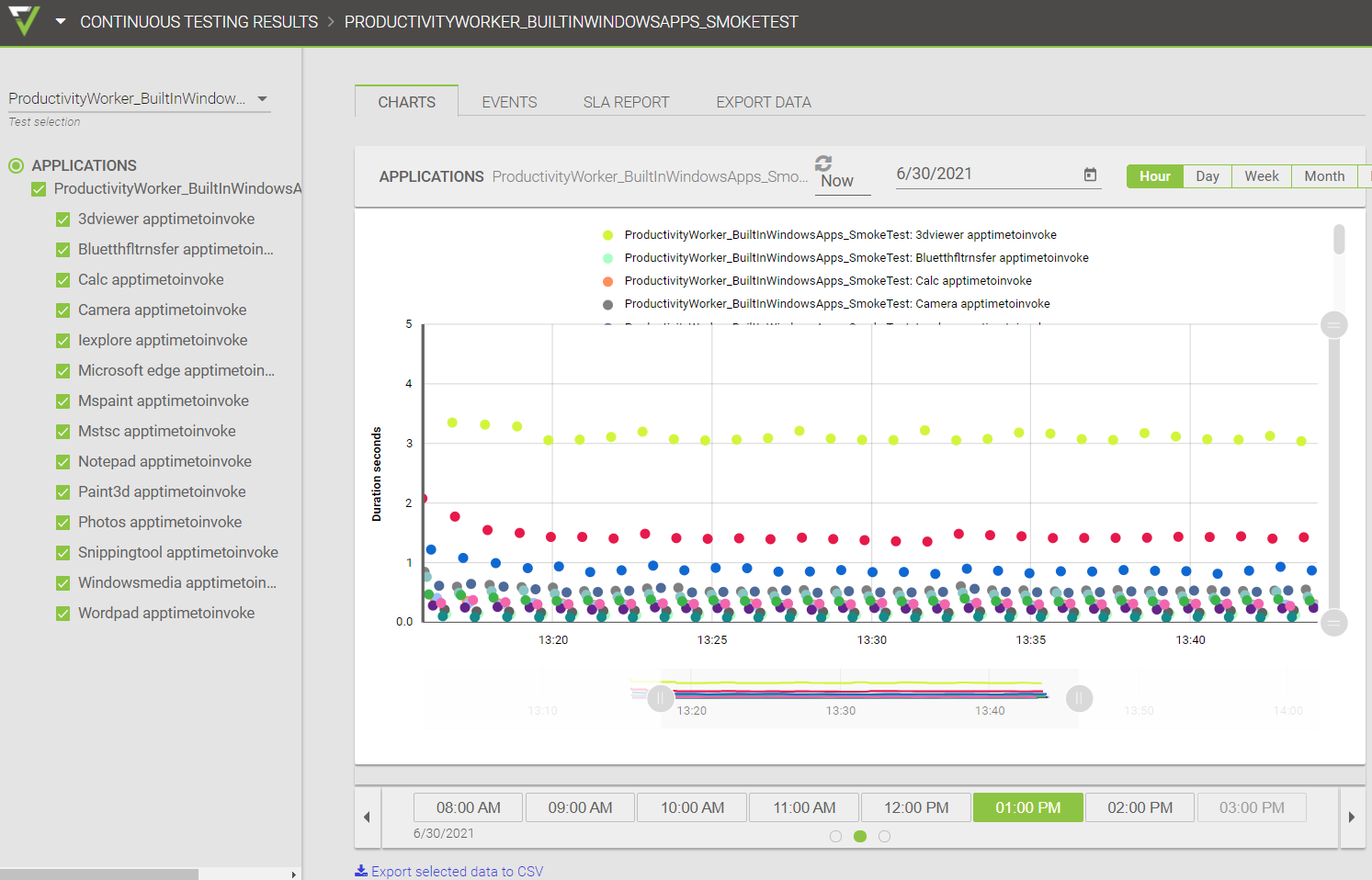
Results in Login Enterprise UI:
Additional Resources
productivityWorker_BuiltInWindowsApps_SmokeTests_EndpointVerification_v1.0.cs
productivityWorker_BuiltInWindowsApps_SmokeTests_EndpointVerification_v1.0.app