.png)
Concurrently Running Apps - Login Enterprise Test Files
Disclaimer
This workload is provided as-is and might need further configuration and customization to work successfully in each unique environment. For further Professional Services-based customization, consult with the Login VSI Support and Services team. Please refer to the Application Script Recording for further self-help information regarding workload crafting and implementation.
For more information, refer to the top of the .cs file under Additional Resources.
Overview
This workload will showcase launching and interacting with multiple applications using files, which are downloadable from the Login Enterprise virtual appliance, whilst keeping all of the applications launched. The workload will switch between the app that is in the "foreground" just as a real user would, but will keep several apps open concurrently, also just as a real user would.
Please read each of the commented-out portions of this script to see what it does and if there are lines which should be commented out or changed (variables, for example)
In order for this script to run, ensure to have the following installed and activated: Excel, Microsoft Edge, Word, Adobe Reader DC, and PowerPoint. Ensure Adobe Reader DC is the default .pdf file opener
Developed with: Login Enterprise Scripting Toolset v4.4.9 | Winver Windows 10 Pro x64 20H2 | Microsoft Office x64 365 desktop v2101 (Build 13801.20360 Click-to-Run) | Adobe Acrobat Reader DC x86 v2021.001.20145 | Microsoft Edge v89.0.774.63
This workload will perform the following interactions:
Copy down the needed test files.
Start the downloaded test files in the following apps witha custom timer encapsulating the app starts: Excel, Word, Adobe Reader DC, Notepad, PowerPoint, Wordpad, and Microsoft Edge.
Bring each aforementioned app into focus sequentially, and when doing so, scroll around the UI of each.
Bring each aforementioned app into focus sequentially and maximize the GUIs.
Closing out of each app sequentially.
Demonstration Video
https://youtu.be/K6ILGgQtHIo?feature=shared
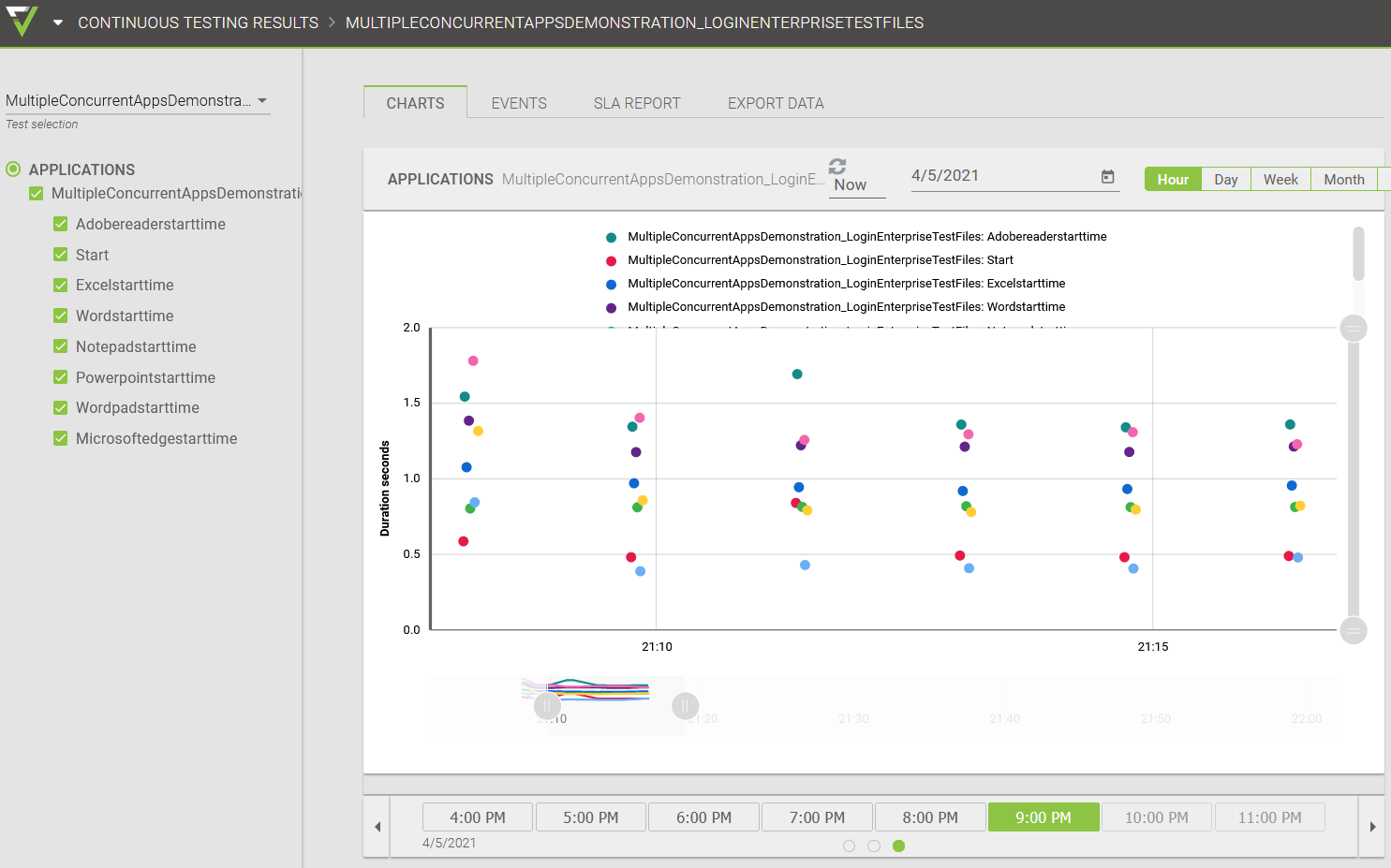
Results in the Login Enterprise UI: