
Overview
The Usage and Licensing section in Hydra Lens provides information about concurrent user activity for a selected Hydra instance. Here, you can:
-
Select a time period and refresh the displayed data.
-
View the maximum number of concurrent users at the Hydra level.
-
Point to the Hydra Level CCU chart to view the number of concurrent users at a specific time.
-
View peak concurrent usage by tenant.
To access the section, navigate to Hydra Lens > Usage and Licensing in the Hydra left-hand menu.
.png?cb=1e7240db7f1a0b1f5ab7a7c6cedd86dd)
Viewing Concurrent Usage
On the CCU Per Tenant tab, use the following sections to review concurrent user activity:
Hydra Level CCU
The chart shows the maximum number of concurrent users for the selected time period.
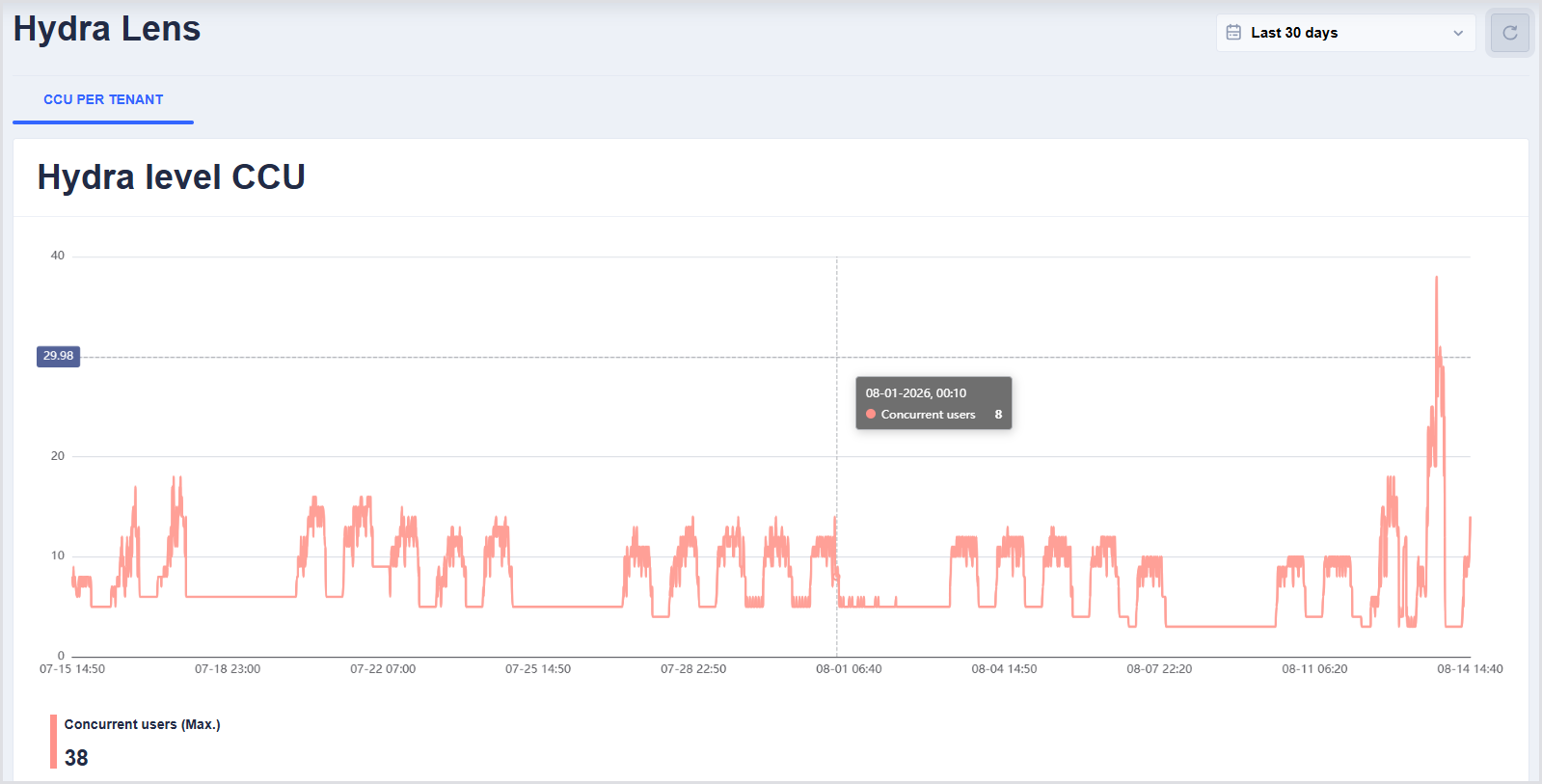
Hover over the chart to view the number of concurrent users at a specific timestamp.
Peak Usage by Tenant
This section shows peak concurrent user activity for individual tenants during the selected time period.
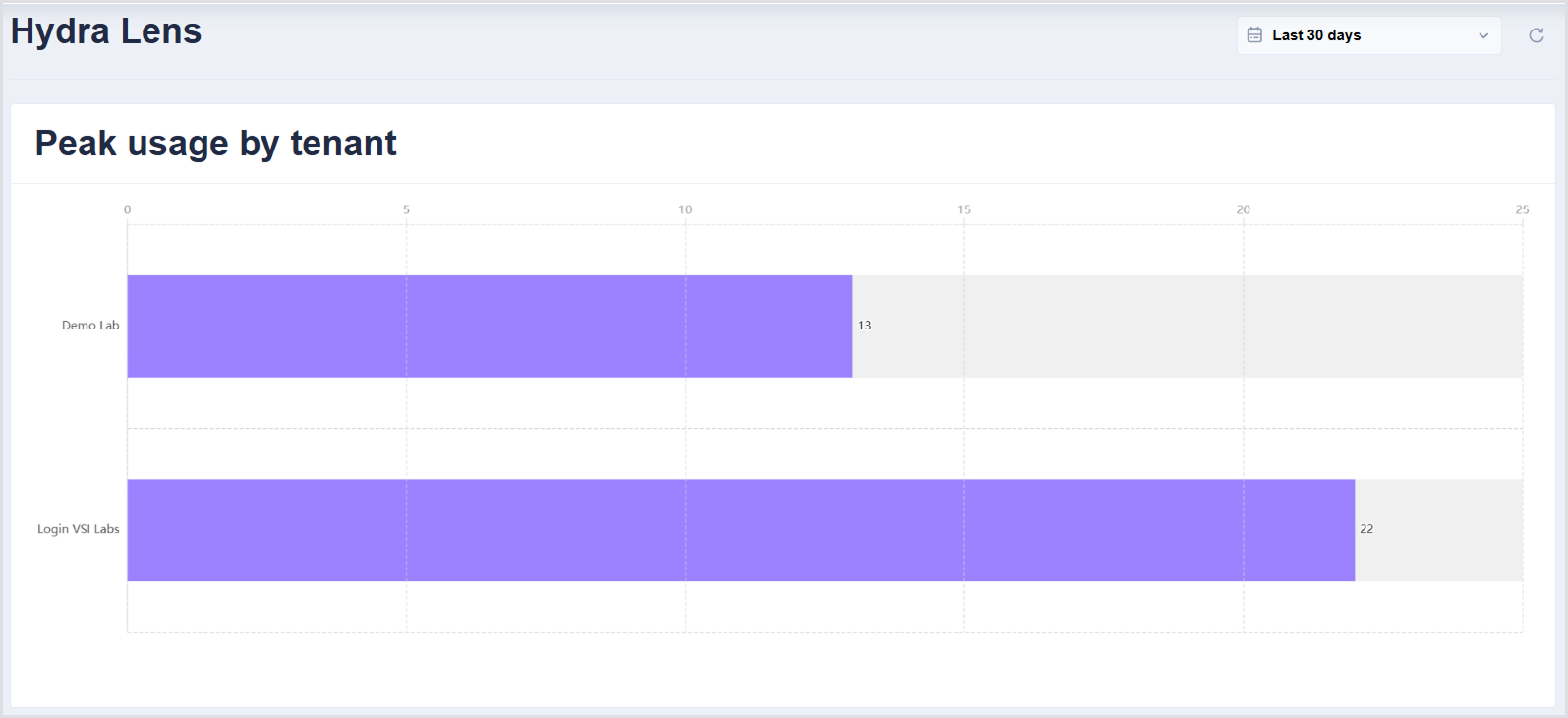
Use this information to identify tenants with the highest concurrent usage.