
Overview
You can use role-based access control (RBAC) in Hydra to grant users the appropriate level of access.
-
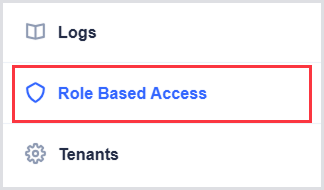
In Hydra, navigate to Role-Based Access.
-
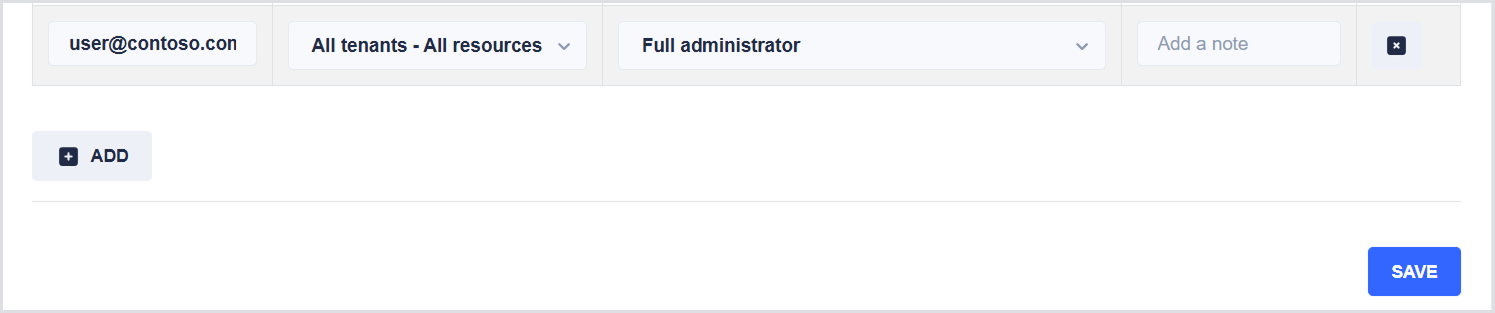
Click Add, then specify:
-
The user or group (using UPN or object ID).
-
The scope (All tenants, a specific tenant, or a specific host pool).
-
The role you want to assign.
-
Add a note about the role (Optionally).
-
-
Click Save.
Built-in Roles
The following table describes the available roles in Hydra:
|
Role |
Description |
|---|---|
|
Full administrator |
Can manage every aspect of the application. Only the full administrator can edit the role-based access settings, scripts/ script collections, and edit the global tenant configuration. This role only works for the All tenants - All resources scope. |
|
Host pool administrator |
Can manage every aspect of a host pool or Windows 365 resource: e.g., change the configuration, delete/create session hosts, start/stop/restart session hosts, and handle user sessions. Additionally, the user can start scripts and script collections. Users with this role related to all resources can create and modify host pools, app groups, and workspaces. |
|
Host pool resource manager |
Can delete/create session hosts, start/stop/restart session hosts, and handle user sessions. Additionally, the user can start scripts/ script collections and can create images. |
|
Host pool VM, user manager and remove hosts |
Can handle user sessions, start/stop/restart/delete session hosts, and change the drain mode. |
|
Host pool VM and user manager |
Can handle user sessions, start/stop/restart session hosts, and change the drain mode. |
|
User and profile manager |
Can manage user sessions, processes, and delete FSLogix profiles, but cannot work with the session hosts. |
|
User manager plus |
Can manage user sessions, but cannot work with the session hosts. Additionally, the role can terminate user processes. For CloudPCs, the user must have this role assigned to all resources of a Tenant. |
|
User manager |
Can manage user sessions, but cannot work with the session hosts. |
|
Reader |
Can view most data in Hydra. |
|
User |
Can only see, start, stop, and restart their assigned session hosts and can disconnect and log off their sessions. |