Introduction
In order for autoscaling, host replacement, and other automated rollout actions to function, you must first define a New Session Host Rollout configuration.
Configuring New Session Host Rollout
To add new Session Hosts, a New Session Host Rollout configuration is required:
-
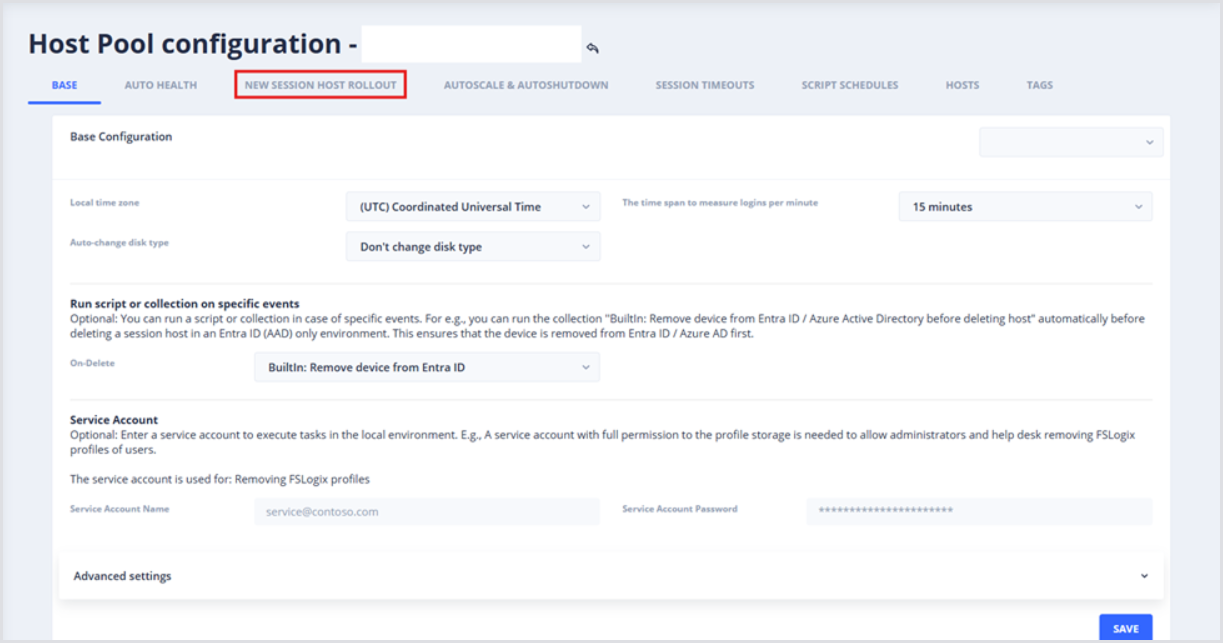
From the Host Pool Configuration page, open the New Session Host Rollout section.
-
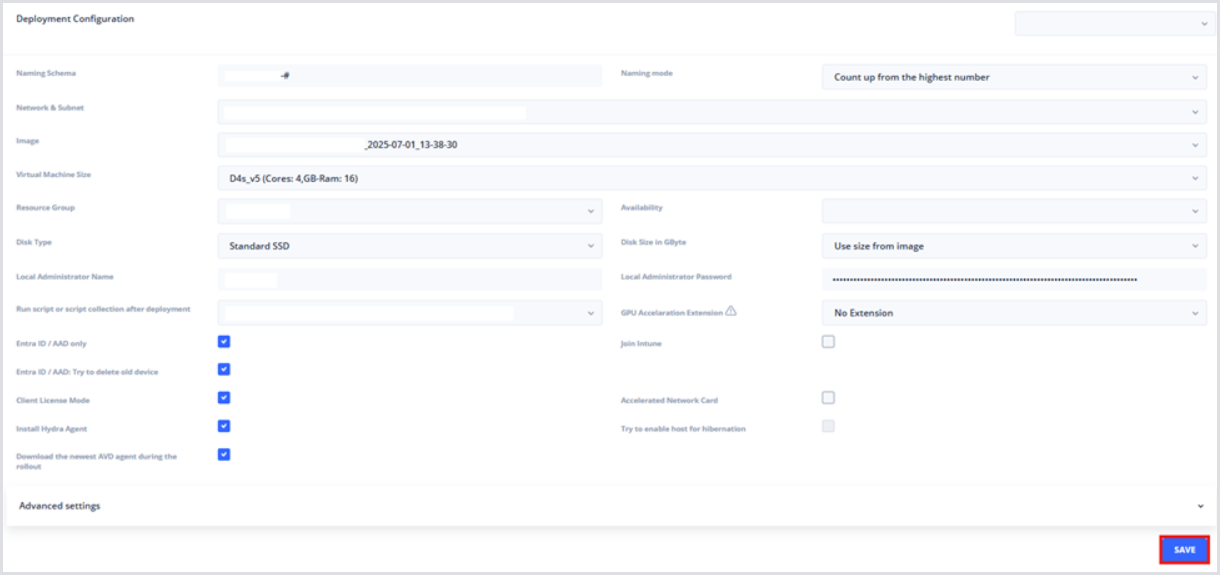
In the Deployment Configuration section, fill in the following details:
-
Naming schema: Specifies the naming convention for session hosts. Names should end in ### to enumerate session hosts, e.g., AVD-PROD-### becomes AVD-PROD-001.
-
Naming mode: Determines how to enumerate session hosts, either Count up from the highest number or Use and reuse free numbers.
-
Network & Subnet: Configures the Virtual Network and Subnet used by the Session Host Network Cards.
-
Image: Specifies the base image Name or Image Version if using an Azure Compute Gallery
-
Virtual Machine Size: Dictates the VM size of Session Hosts.
-
Resource Group: Specifies the resource group where Session Host VM resources should be created.
-
Availability (optionally): Configures Availability Zones (e.g., AZ1, AZ2, AZ3) or Availability Sets
-
Disk Type: Configures the disk type used by Virtual Machines – Microsoft recommends Premium SSD.
-
Disk Size in GByte: Specifies the size of the OS disk – can be determined by image.
-
Local Administrator Name: Specifies the username of the local admin account.
-
Local Administrator Password: Specifies the password of the local admin account.
-
Run Script or Script Collection After Deployment: Allows for additional customization or preparation using PowerShell scripting.
-
GPU Acceleration Extension: Installs the GPU drivers via extension, but should typically be left disabled.
-
The recommendation is to perform the driver installs on the golden image.
-
-
Entra ID / AAD Only: Determines whether the Session Host will be joined to a traditional AD-domain, or Entra ID only.
-
Note that a Service Account must be used for Active Directory deployments. This Service Account must have delegated rights to create and delete machines within the given OU. Refer to Create and Delegate a Service Account in AD and Microsoft Documentation for details.
-
-
Join Intune: Determines whether to enroll the device in Intune.
-
Entra ID / AAD: Try to delete old device: Determines whether to attempt deleting devices with the same name to avoid conflicts in Entra.
-
Client License Mode: Configures Windows licensing to avoid additional costs for OS licensing.
-
Accelerated Network Card: Determines whether to deploy Accelerated Network Cards (not supported by all VM sizes).
-
Install Hydra Agent: Determines whether the Hydra agent should be installed as part of the session host rollout.
-
Download the newest AVD agent during the rollout: Determines whether to force new session hosts to download the newest AVD agent binaries, as opposed to using the binaries stored from the imaging process.
-
Try to enable host for hibernation: Determines whether to enable the host for hibernation (supported on limited VM sizes).
-
After configuring the New Session Host Rollout menu, click Save.