
Overview
The Network Connections page provides an overview of all Windows 365 network connections across tenants where the feature is enabled. It allows administrators to search, filter, and review key details for each connection. This page is primarily for reviewing and locating policies; no direct actions (like edit or delete) are available from this page.
Search
Use the search field to locate a specific network connection by: Tenant, Name, Virtual network Status, etc.
Network Connections Table
The table lists all provisioning policies with the following columns:
|
Column |
Description |
|---|---|
|
Tenant |
The tenant where the network connection is applied. |
|
Name |
Name of the network connection. |
|
Virtual network |
The Azure virtual network associated with the network connection. |
|
Status |
The current status of the network connection. |
|
Created by |
The administrator who created the network connection. |
|
Join type |
The directory join type used by Cloud PCs that use the network connection |
|
Subscription |
The Azure subscription that contains the virtual network. |
|
Domain |
The domain associated with the network connection. |
|
Region |
The Azure region where the network connection is hosted. |
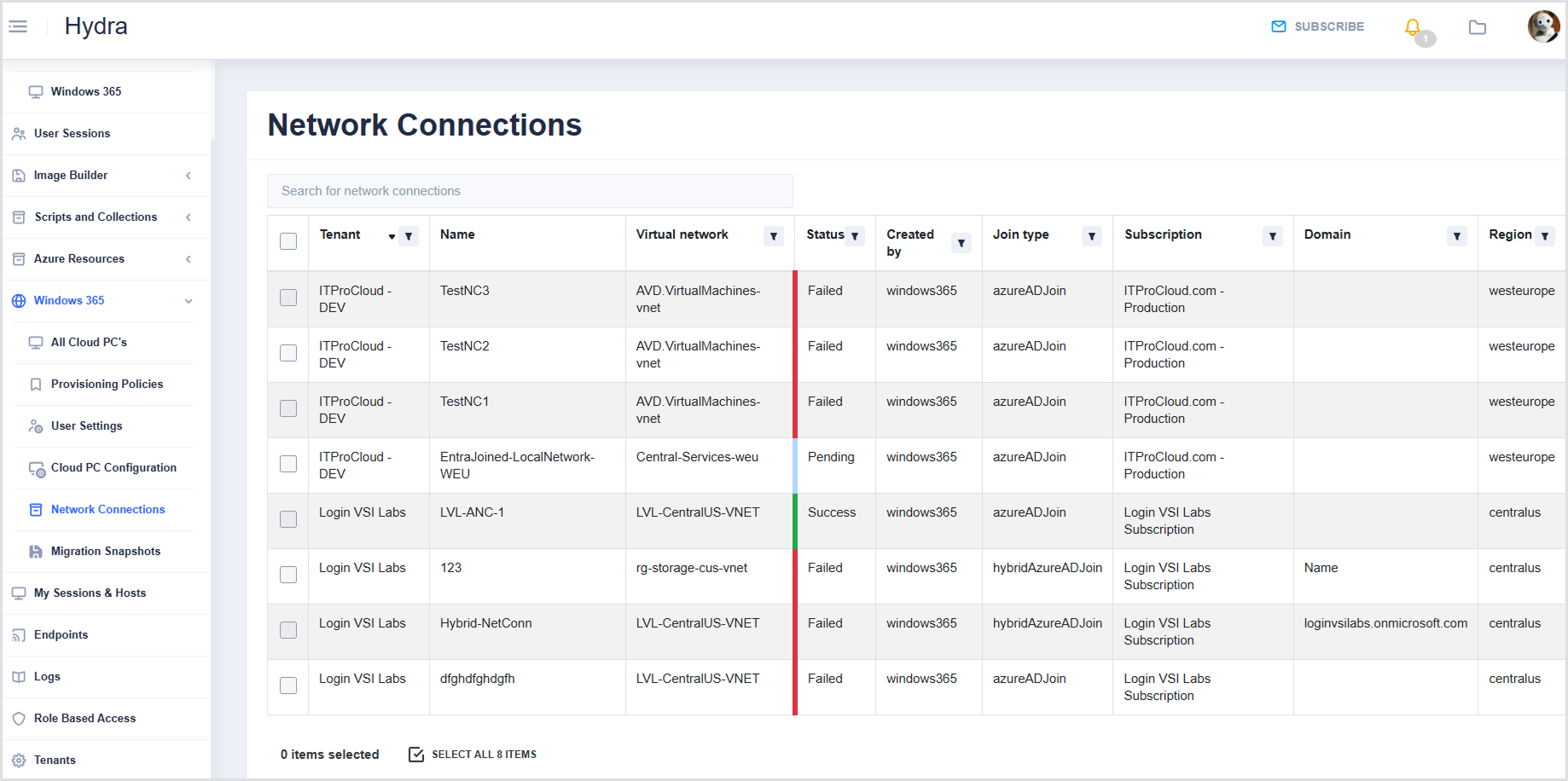
Each column has a Filter icon allowing you to search, select all, or select specific values relevant to that column.