
Overview
Hydra first deploys fully-featured for 30 days. This is known as the “trial” period. After the trial period has lapsed, it goes into Community Edition. Community Edition limits management to 5 hosts per host pool and a single tenant. Hydra will not attempt to autoscale or create session hosts beyond this limit.
You can view the status of your trial or Community Edition at the top-right in the Hydra Portal:

To go beyond these limits, you must upgrade to a paid version of Hydra. For the comparisons between the Marketplace and Enterprise versions of Hydra, see Hydra Pricing and Licensing.
Note: This article only applies to upgrading to the Marketplace subscription.
Upgrading to a Subscription
-
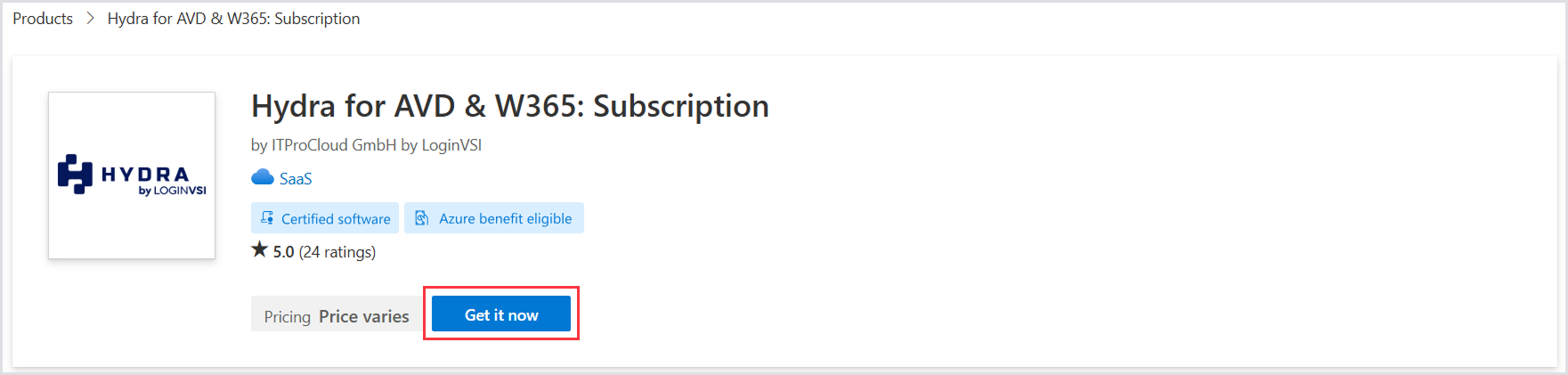
First, head to the Azure Marketplace or Azure Portal and search for “Hydra.” Select the Hydra for AVD & W365: Subscription.

-
Select Get it now.
-
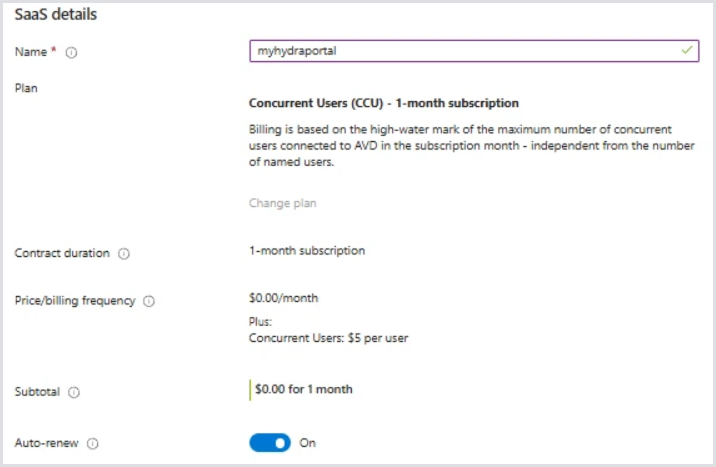
Choose the Subscription and Resource group that the original trial Hydra instance was deployed to.
-
For the name, use the same name that you previously chose for your Hydra instance ID.
Tip: This is typically the same name as the first portion of your azurewebsites.net URL. For example, if the Hydra portal is accessed at myhydraportal.azurewebsites.net, the Name would be myhydraportal.
-
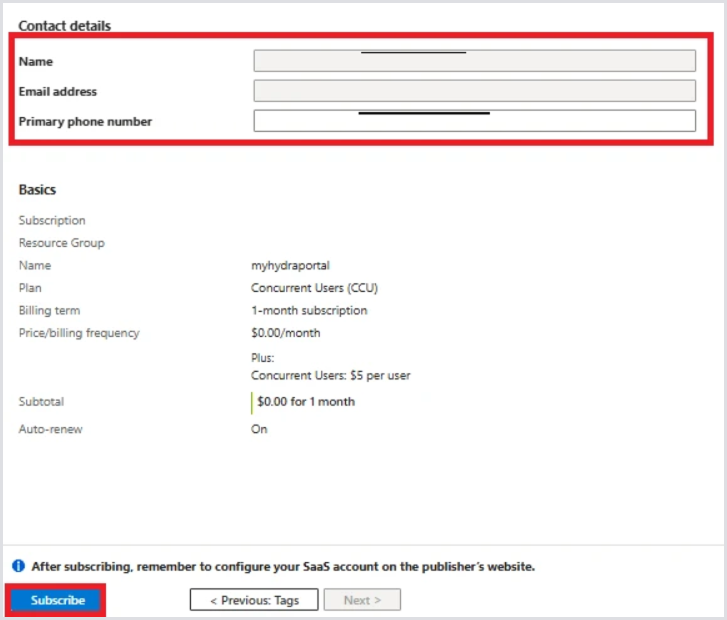
Assign tags if needed. Confirm your contact information and phone number and click Subscribe. After the subscription process is completed, your Hydra instance will be automatically licensed and fully functional within the next 10 minutes.
If the trial or Community Edition message does not disappear within the next hour, contact support. Make sure to provide the instance ID you are attempting to license.