.png)
PowerShell Script with Functions to Control and Extract Data from Login Enterprise
Overview
This section contains a PowerShell script with functions to control and extract Login Enterprise.
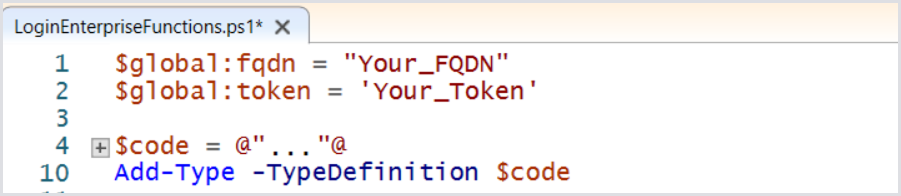
At the top op the script, you can change the items marked in green to direct the functions to your own Login Enterprise Appliance.

Basic knowledge of PowerShell and scripting is required.
Here is a basic example of how to get tests using this script.
Download the PowerShell script from Additional Resources.
Open the file with PowerShell ISE.
Edit the FQDN and Token information. The token can be retrieved from the Login Enterprise Console (Login Enterprise sidebar menu > External Notifications > Public API > New system access token).
Click the Play button to load all functions.

In the blue command box, type: "Get-Tests -orderBy name -testType applicationTest -direction ascending -include all -count 100" and review the output. The application tests from your appliance should be visible.
