Overview
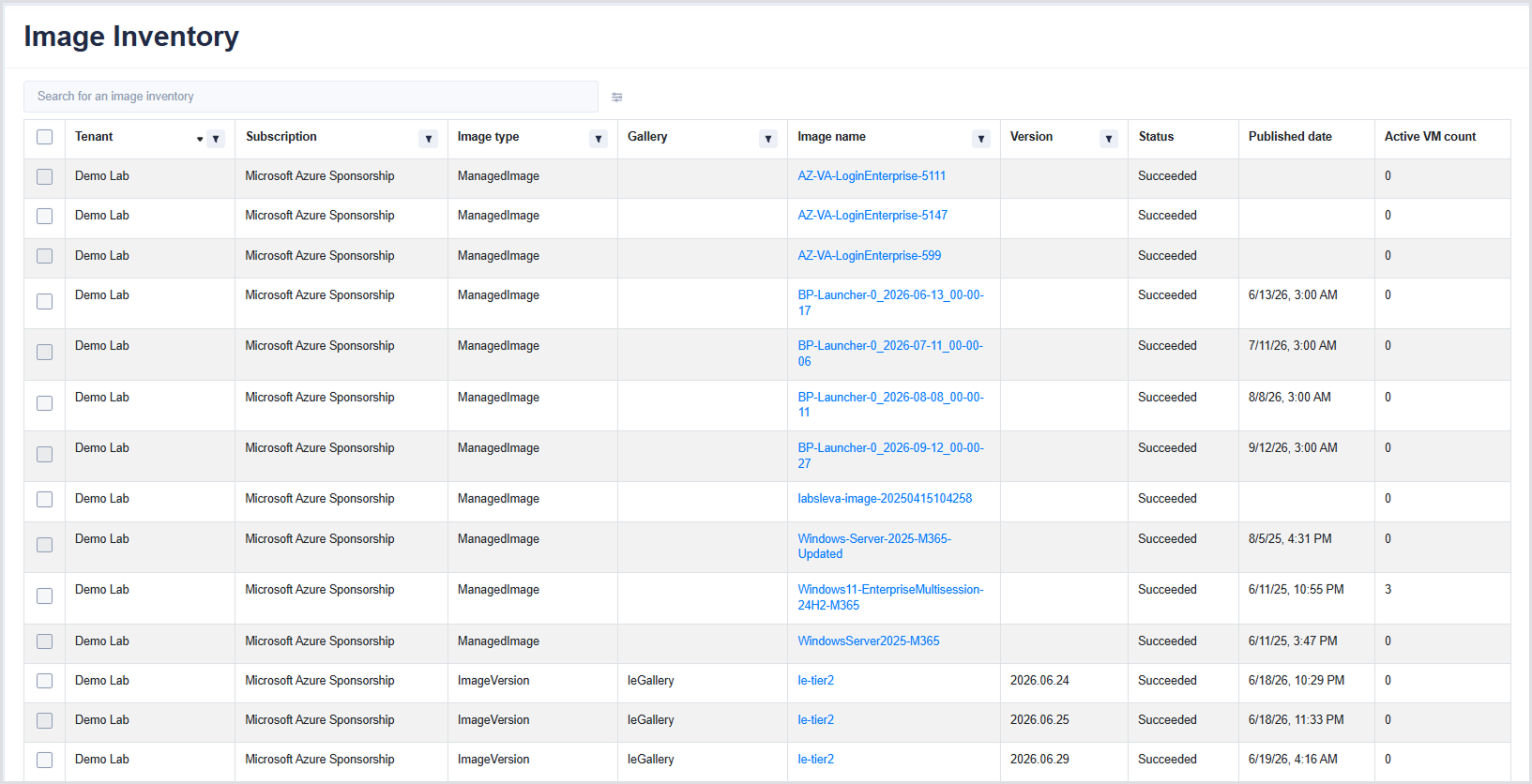
Use Image Inventory to view and manage a centralized inventory of Azure images across your connected environments. The page provides a consolidated view of image resources available for deployment, including Azure Managed Images and Azure Compute Gallery image versions.
You can search and filter the inventory to quickly locate images and view information such as the tenant, subscription, image type, gallery, image name, version, status, publication date, and active VM count.
To access the page, navigate to Azure Resources > Image Inventory in the Hydra left-hand menu:
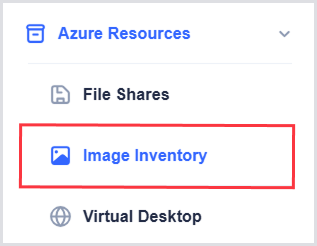
Image Inventory
The inventory table includes the following columns:
|
Column |
Description |
|---|---|
|
Tenant |
The tenant where the image is located. |
|
Subscription |
The Azure subscription associated with the image. |
|
Image type |
The type of Azure image. |
|
Gallery |
The Azure Compute Gallery associated with the image, if applicable. |
|
Image name |
The name of the image. Select the image name to view detailed image information. |
|
Version |
The image version. |
|
Status |
The current status of the image, such as Succeeded or Failed. |
|
Published date |
The date when the image was published. |
|
Active VM count |
The number of active virtual machines using the image. |
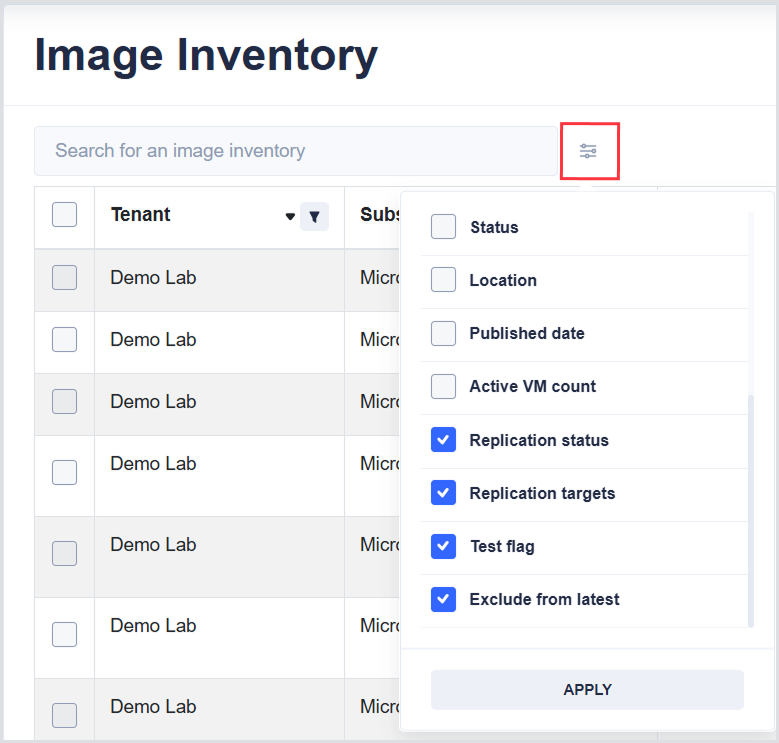
Use the column configuration menu next to the search box to show additional columns:
|
Column |
Description |
|---|---|
|
Location |
The location of the image. |
|
Replication status |
The current replication status of the image. |
|
Replication targets |
The targets configured for image replication. |
|
Test flag |
Indicates whether the image is marked as a test image. |
|
Exclude from latest |
Indicates whether the image version is excluded from the latest version. |
Use the filters in the table to filter the inventory by Tenant, Subscription, Image type, Gallery, Image name, Version, and Active VM count.
Image Details
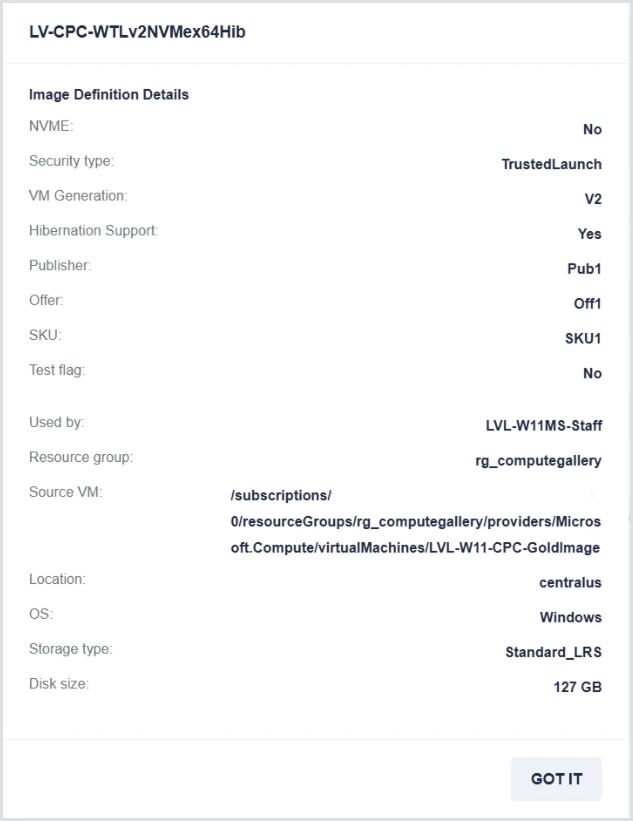
Select an image name to open a dialog with detailed information about the image. The dialog includes:
|
Field |
Description |
|---|---|
|
NVME |
Indicates whether NVMe is supported. |
|
Security type |
The security type configured for the image. |
|
VM Generation |
The virtual machine generation supported by the image. |
|
Hibernation Support |
Indicates whether hibernation is supported. |
|
Publisher |
The image publisher. |
|
Offer |
The image offer. |
|
SKU |
The image SKU. |
|
Test flag |
Indicates whether the image is marked as a test image. |
|
Used by |
The resources or configurations using the image. |
|
Resource group |
The Azure resource group containing the image. |
|
Source VM |
The source virtual machine used to create the image, if applicable. |
|
Location |
The Azure region where the image is located. |
|
OS |
The operating system associated with the image. |
|
Storage type |
The storage type used by the image. |
|
Disk size |
The disk size of the image. |