
By default, Hydra’s App Registration for Entra SSO is deployed with a name of svc-HydraWebAuthentication and a 15-year expiration by utilizing the script in the Marketplace instructions. In environments where this expiration needs to be less or where a manual deployment was involved, it may be necessary to update the secret. If the secret expires, SSO into Hydra will fail and you will see an error similar to this when attempting to access the site:
A configuration issue is preventing authentication - check the error message from the server for details. You can modify the configuration in the application registration portal. See https://aka.ms/msal-net-invalid-client for details. Original exception: AADSTS7000222: The provided client secret keys for app <app ID> are expired. Visit the Azure portal to create new keys for your app or consider using certificate credentials for added security.
The Hydra app service utilizes the Service Principal information stored in the Hydra Key Vault. To update the secret, give your Azure account permissions to view and edit secrets in the Key Vault. Create a new version of the AzureAd--ClientSecret secret value and mark the old one as disabled.
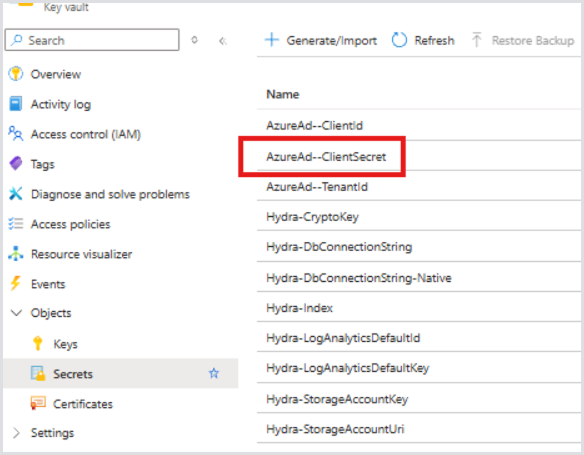
After the secret is updated, restart the app service and attempt to log in after a few minutes.