
Hydra enables a streamlined approach to Azure Virtual Desktop (AVD) image management by allowing image creation and capture directly from a virtual machine, even from session hosts that are already joined to an AVD host pool. This removes the need for separate “gold image” virtual machines or temporary imaging infrastructure.
By dedicating an AVD host pool specifically for image management, organizations can standardize image creation while leveraging Azure Marketplace images as a consistent and supported baseline.
Key Benefits
Using a dedicated host pool for image management with Hydra provides the following advantages:
-
Simplified architecture - No separate imaging VMs or resource groups are required
-
Consistency - All images originate from the same baseline configuration using the New Session Host Rollout parameters
-
Repeatability - Image creation follows a predictable, automated workflow
-
Marketplace support - Images are built on Microsoft-supported Marketplace images
Dedicated Host Pool Concept
In this model, a specific AVD host pool is reserved exclusively for image creation and maintenance. This host pool is not used for end-user access and is not subject to production scaling or user assignment policies.
Session hosts in this pool are deployed directly from Azure Marketplace images and can be utilized as static images with ongoing updates, or even dynamic images that are fetched brand new each update cycle with configurations and installs automatically deployed using Hydra's Script Collections.
You can also use the imaging pool as a template to easily copy many of the common configurations to other host pools using Hydra's Copy Configuration from an Existing Hostpool in the top-right corner:
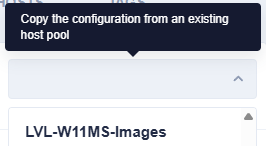
Image Creation Workflow
A typical image management workflow using Hydra includes the following steps:
-
Create a dedicated AVD host pool for images
-
No user assignments
-
No production autoscaling configuration
-
Used exclusively for image creation
-
-
Deploy session hosts from Azure Marketplace
-
Windows 10 or Windows 11 multi-session
-
Microsoft 365 Apps images, if required
-
Other supported Marketplace baselines
-
-
Apply customizations using Hydra
-
Utilize the Run script/collection after deployment option for customizations across all images (optimizations, company-wide software on all endpoints, etc.)
-
Agent deployment and updates
-
-
Capture the image
-
Image-specific installs and updates can occur on the VM using the Run a Script or Collection on the Master first option in the Image Builder
-
Hydra automatically copies and generalizes the cloned VM
-
The image is captured as a Custom Image or Azure Compute Gallery Definition
-
The original session host image VM remains available for future changes
-
-
Reuse the host pool VMs for imaging
-
The same host pool VM can be used for future image updates, including automated scheduling
-
New Marketplace versions can be introduced as needed, using the automations above to build the image instead of manual software installs and customizations
-
Summary
Hydra allows organizations to simplify and standardize AVD image management by using a dedicated host pool as an image creation environment. Images can be built and captured directly from Marketplace-based session hosts that are already joined to the pool, reducing complexity while improving consistency and governance across the environment.