
Overview
Hydra features a User Portal for self-service. This portal has the following features:
-
Ability for users to disconnect and log off their own sessions. This can reduce the need for a user to reach out to support in the case of a hung session.
-
For personal pools, a user can:
-
Manage their VM power state (start, stop, restart).
-
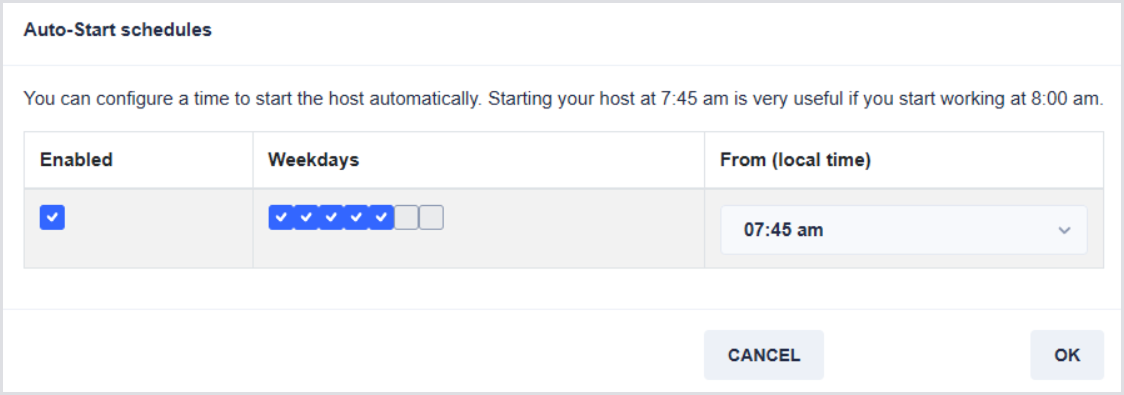
Manage their work schedule to automatically start up their personal VM. This prevents the need to rely on Power on Connect, where the user must wait for their machine to power on during the connection process.
-
Requirements
To utilize the User Portal, you must be assigned the User role within the Role-Based Access pane. You can then use the standard Hydra URL for login. Note that an Entra Group can also be utilized by inserting the Object ID:

My Sessions and Hosts
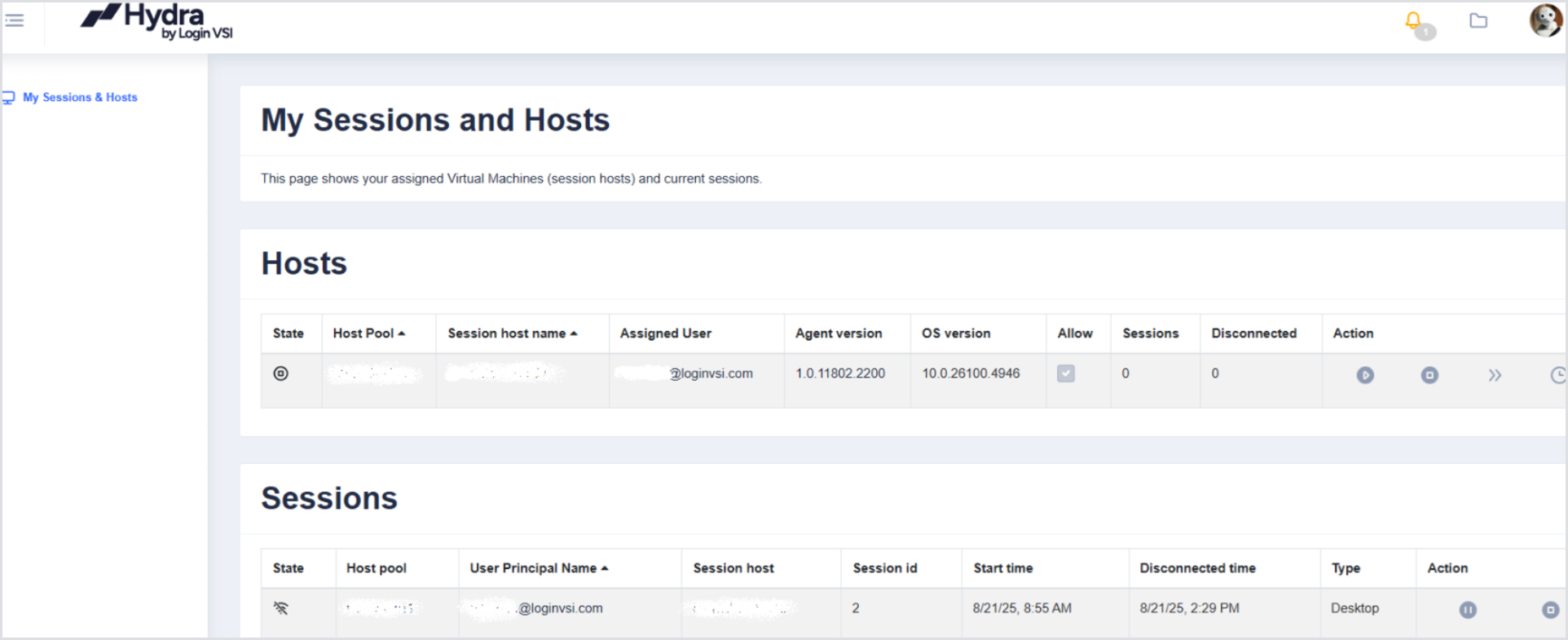
Once you log in, you will only see the My Sessions & Hosts pane, along with their current sessions and any personal hosts assigned to you:
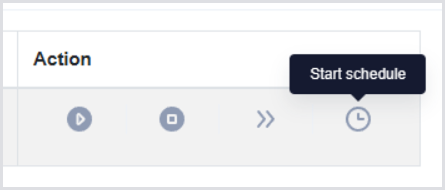
Start Schedule
Not only can you control the various power options and session states, but you can also set your own startup schedule for your personal VM:
Once the VM is started, it will remain powered on until the timeout defined in the Autoscale & Shutdown tab in the Host Pool configuration.